Cirque du Soleli Media Workshop
Posted: September 13, 2016 Filed under: Uncategorized Leave a comment »Hello everyone, here’s a link to the Cirque du Soleli Media workshop I mentioned in class today: http://www.capital.edu/cirque/
SOLAR
Posted: September 13, 2016 Filed under: Uncategorized Leave a comment »Imagine entering a machine, supplying the co-ordinates of a city and a specific moment in time and as a response you receive the direction, the intensity and the sensation of heat and light that the sun radiated in that time-space.
This is a piece I saw in Ars Electronica, I hope you guys find it useful for your projects.
Axel
RSVP
Posted: September 13, 2016 Filed under: Reading Responses Leave a comment »Resources: human& physical resources and their motivation& aims.
Scores: process leading to the performance. Plan. Code.
Valuaction: analyzes the results of action and possible selectivity& decisions. Action/decision oriented. Feedback.
Performance: resultant of sources and is the “style” of the process.
I liked thinking of the scores as “symbolizations of processes which extend over time.”
Scores/Process derive essential qualities from a deep involvement in activity. Scores communicate process, making it visible.
Feedback. Analysis is needed before, during, and after for growth and change.
ICEBERG!! This concept is important to me. How do we read the bottom of the ice berg in works (performance/art). “9/10 invisible but vital to achievement”
Dichotomy between score/performance has been on my mind and in my work for a while. Still figuring it out, maybe it’s not a dichotomy, but simply plan/instance – still, there is so much embedded in the instance of performance and all that has proceeded.
“human communications – including values and decisions as well as performance – could be accounted for in process”
Scores – it’s about what the score controls and what is left to chance; what is determinate and left indeterminate / variables of foreseen and unforeseeable events; and to the feedback process which initiates a new score.
Scores are ways of symbolizing reality — of communicating experience through devices other than the experience itself.
first score, then performance – inextricably interrelated
Space / Time / Present / Future
Inner and Outer Motivational Worlds
“When the word as a scoring device becomes a generator of feedback between people rather than an ordering or injunctive mechanism” “Vast new areas of understanding open up…”
“Valuaction in the cycle is operating to the exclusion of the score itself. New understandings of how “active listening procedures” and “congruent sending messages” can “open up” dialogue are at the core of the new view of words as communicative rather than controlling devices.” (emphasis mine)
Ongoingness *relationship to the future
-Multiplicity of input as our guides.
“The established scoring techniques determine what the limits of the art form can be.”
First Video Tracking Demo
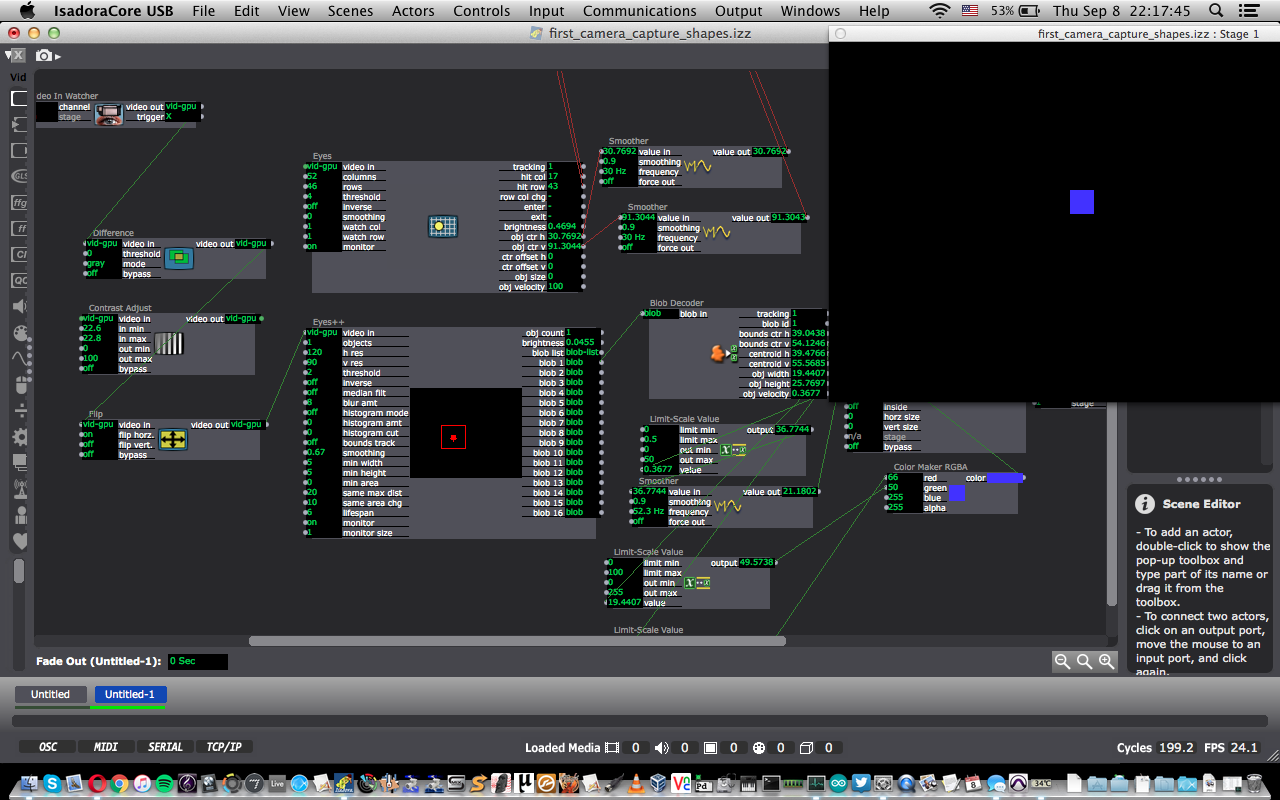
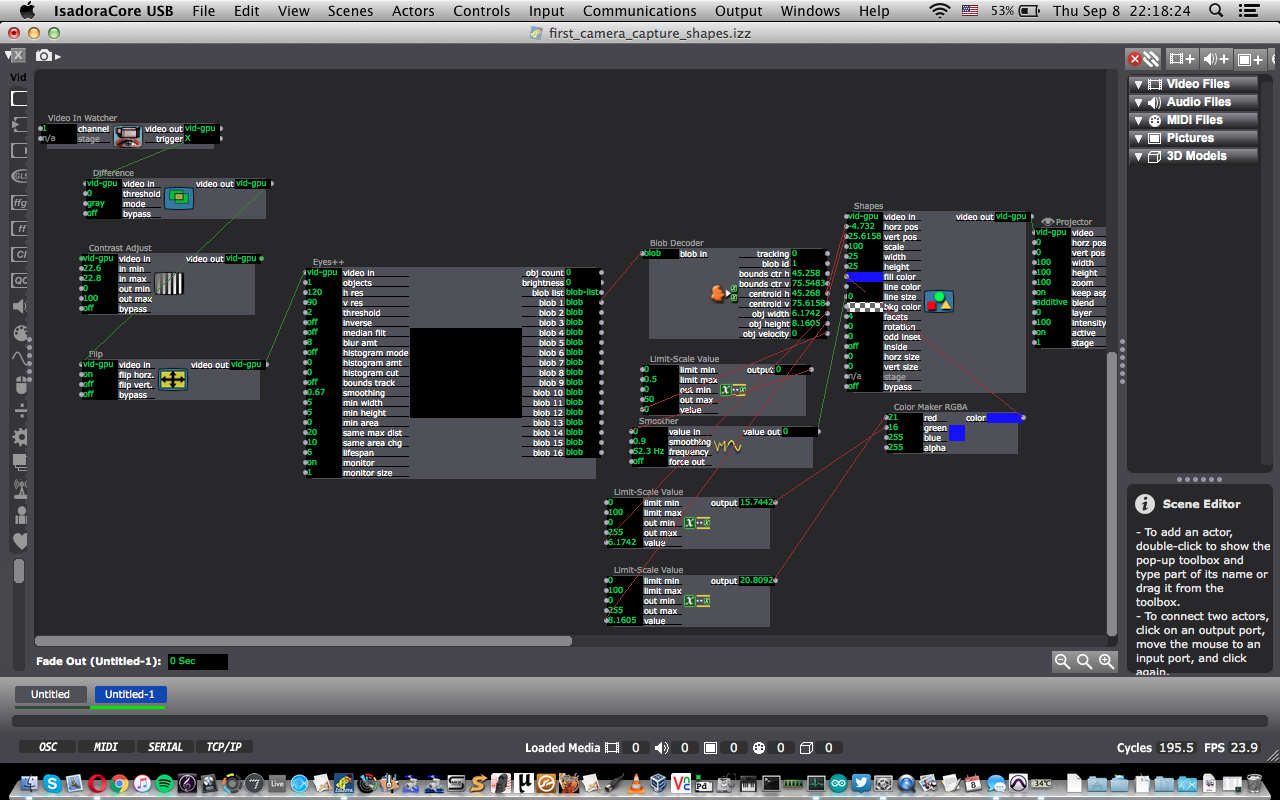
Posted: September 8, 2016 Filed under: Uncategorized Leave a comment »Here are some screenshots from my first attempts at controlling a shape using the eyes++ actor from in class today. A blob is tracked, and its vertical and horizontal centers determine the horizontal and vertical position of the square. The object width and height are used to control the red and green color values of the square, and the object velocity is used to control the line size of the square.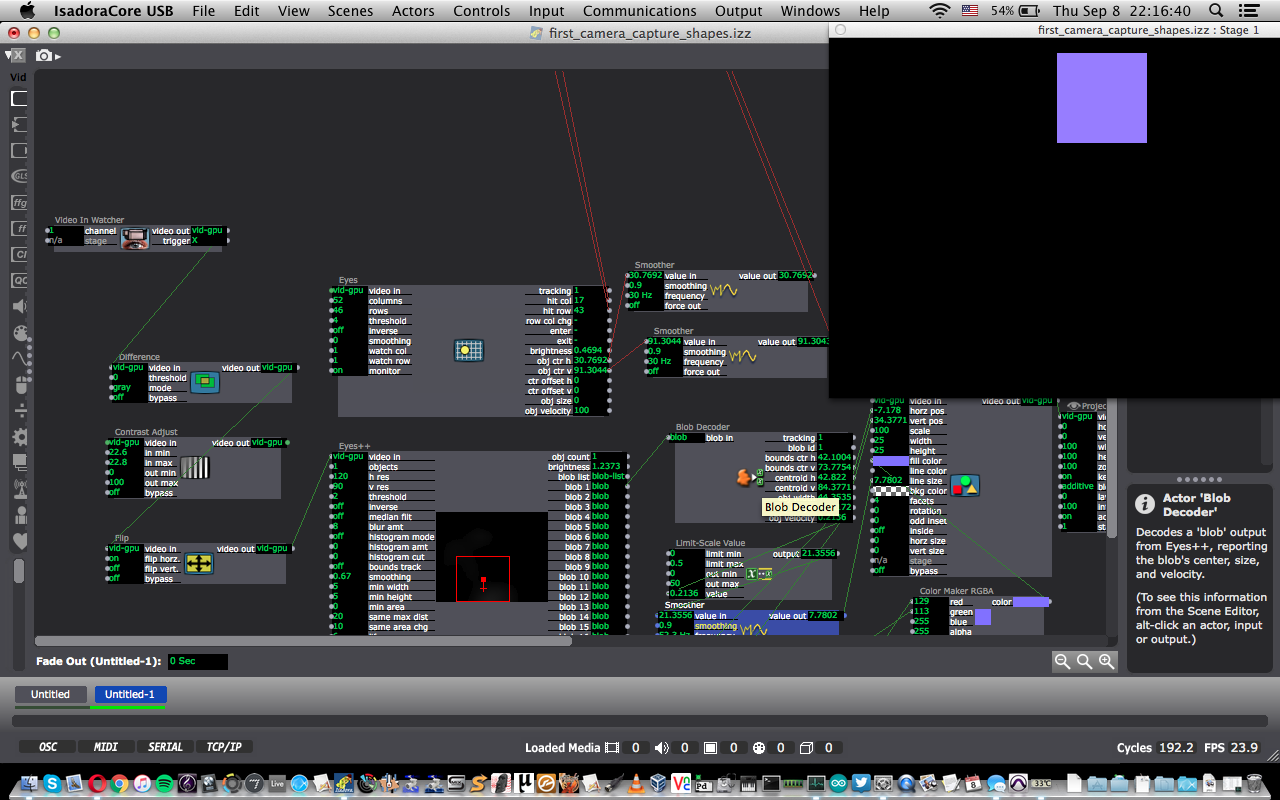
Explosive Dots Paper and Pen Game
Posted: September 8, 2016 Filed under: Pen and Pencil Games Leave a comment »Per part of an in-class exercise, Ashely and I decided to improve upon the game that many refer to as Dots. In traditional dots, you make a grid of dots on a piece of paper, and each player takes turns drawing lines to connect them. When a player completes a box, they get a point and take an additional turn. The game ends when the grid has been filled with boxes.
To improve upon this game, we added two rules. The first rule is that when a player completes a box, instead of taking an additional turn, they can instead erase one line on the grid, as long as it is not part of a completed box. The second rule is that whenever a player creates a 2×2 cube of boxes, they can “bomb” any box that belongs to their opponent. This erases all of the lines of that box and all other adjacent boxes of theirs, as long as they do not belong to the player dropping the “bomb.”
In gameplay, it is actually fairly rare to get to “drop a bomb.” However, as observed in play-testing, the simple fact that this rule exists significantly changes the way in which the game is played. Whereas in traditional Dots, there comes a point where players need to draw lines that will certainly give a box (or boxes) their opponent, in Explosive Dots the tension is much greater and requires greater thought and strategy to be sure that you do not give your opponent the proper boxes to form the 2×2 cube. This also offers a possibility for redemption. Because of this, a game can last much longer, as large portions of the grid can be reset, allowing for another player to take the lead.
The game I got to test-play was titled Hangman’s Revival. As the title suggests, it is based on the classic Hangman game, only in this version, if you get two letters correct in a row, you earn “extra lives” which can be used if the entirety of the stick-figure person is drawn before you can guess all of the letters. At first, we played using fairly common words with no more than seven or eight letters before we ran out of time for this activity during class. It was right at the end of this that I realized that this game would be very effective when playing using long, complex, or uncommon words. Had we had more time in class I may have opened up a dictionary and found a word at least twelve letters long.
Danny Coyle’s game project: Green Hill Paradise – Act 2
Posted: September 8, 2016 Filed under: Uncategorized 1 Comment »This is a video game/research project of my own design inspired by the Sonic the Hedgehog game series.
——————————–
Green Hill Paradise was born out of a question. A question that has all but torn the Sonic the Hedgehog community asunder:
Can a Sonic the Hedgehog game be made such that it supplies a rich and robust experience in a fully 3D environment while staying true to its platforming roots?
We are here to answer this question, not through an in-depth analysis video, not through a lengthy forum post, but through a fully playable video game experience. After 10 months of research and development we believe that, yes, Sonic can not only exist in 3D, but he can THRIVE in it. GHP’s massive environment, winding paths, dynamic physics and hidden collectibles provide players with the freedom to choose where they want to go and how they wish to get there. The only limitations are the laws of physics and the player’s own skill.
No Spline paths.
No Boostpads.
No scripted cameras.
No Boost Button.
Gotta Go Fast?
Earn it.
——————————–
Since the game’s release, it has been featured on various websites and YouTube “Let’s Play” videos. I figured it was prudent to share it here with you all as well. If you have any questions about the project, just ask!
Sept 8th 2016 – Pressure Project 1
Posted: September 8, 2016 Filed under: Uncategorized Leave a comment »Pressure Project #1: Generator
Time limit: 5 hours max!
Specific resources needed for this project: Isadora; and the Shapes Actor and Jump++ Actor within.
Required Achievements:
Consider: Conway’s Game of Life
http://www.youtube.com/watch?v=C2vgICfQawE
Further Consider Cellular Automata: https://www.google.com/#q=cellular+automata
Primary goal:
Create a generative patch in the Isadora programming environment that integrates the use of the Shapes Actor, Jump++ Actor, Eyes or Eyes ++ and ANY other actor(s) that you choose to develop a self-generating patch.
After initializing the patch (“pressing a button”) the patch runs it self through a visual sequence of movement and behavior.
Secondary goal: Maximize the amount of time it takes for the novice viewer of the patch to grok the patch’s behavior. (Grok: http://en.wikipedia.org/wiki/Grok)
Other Isadora Actors of note for this project: All of the actors under the Calculation heading. But specifically: Random, Wave Generator, Smoother, Curvature, Comparator, Counter, Scale Value, Calculator, Logical Calculator, Inside Range, Hold Range,
This Project is: Pass / Fail | Artistic visions/considerations are highly valued.
For further information:
- Getting started: Complete the first 7 Isadora tutorials available at the following link:
- http://www.youtube.com/watch?v=VqNw_4AWvvA
- short version of url: http://goo.gl/Z1sPlQ
- (This link is to the first tutorial. The following tutorials can be found in the associated links that pop up on the right of the YouTube interface.)
Paper-based game results and observations:
Posted: September 8, 2016 Filed under: Uncategorized 1 Comment »Our team of two modified the “Boxes” game where the objective is to create boxes from a dot grid, racking up combos in order to defeat your opponent. Our change was simple: allow players to create diagonal lines between dots and have scoring based on triangles rather than squares. This simple change made for twice as many possibilities and opportunities for scoring. The meta-game involves trapping your opponents into situations where they will be forced to set you up for victory. The ability to create diagonal lines creates an environment where these traps can be set more frequently, thus creating a more aggressive style of play.
Next I tried out a variant of Hangman. This version included a life system. Every time you chose an incorrect letter, you lost a life. Lose all of them and, no matter your Hangman’s status, you lose. Guess correctly and you will gain lives. This change in the rule-set creates a dynamic of “momentum” that the game did not have prior to the change. If you begin guessing incorrectly, you will lose more quickly than normal. If you begin guessing correctly and gain more lives, then you are able to take more risks. An interesting dynamic, to be sure.
~Danny
Isadora Video Tracking demo
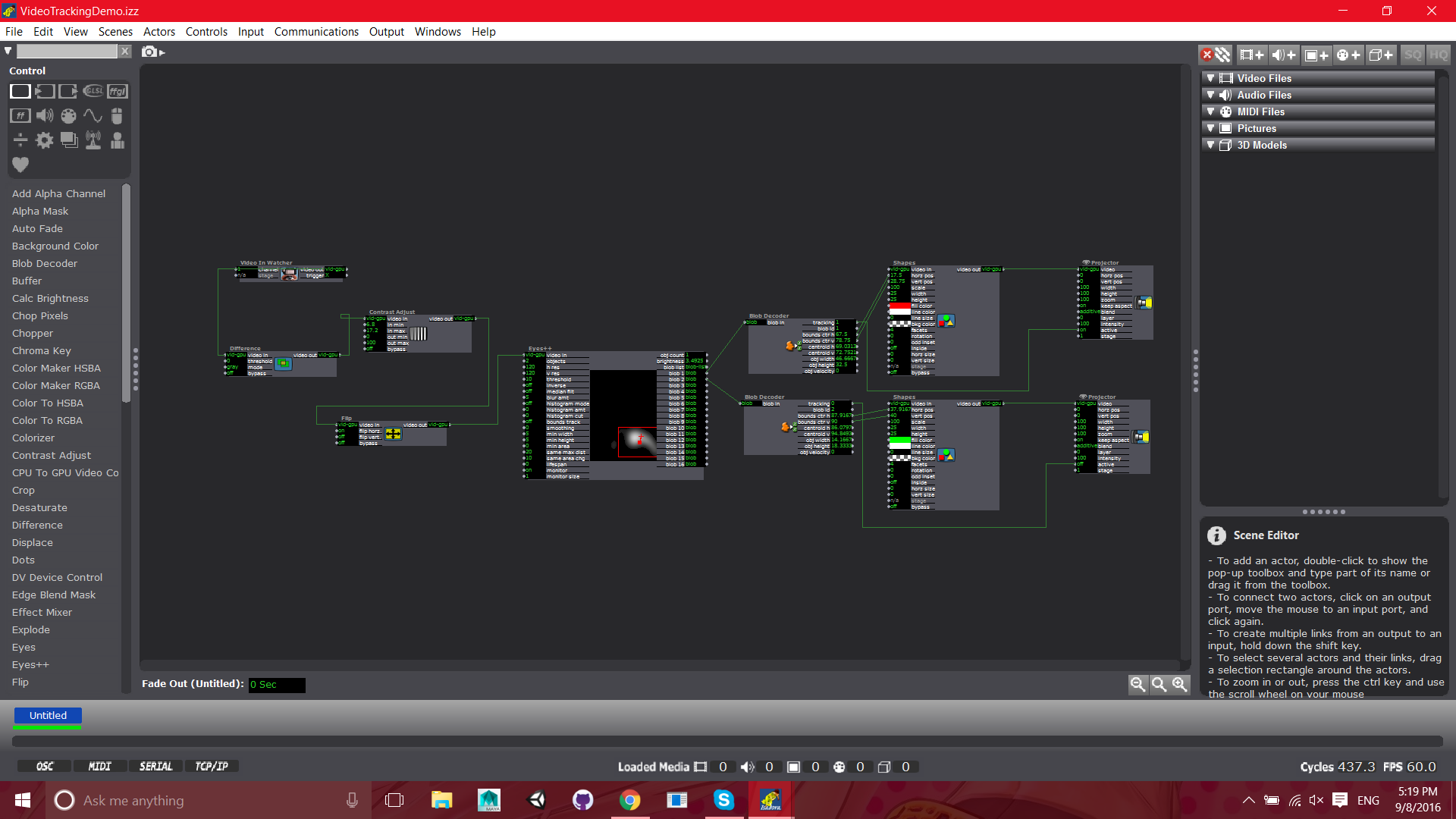
Posted: September 8, 2016 Filed under: Uncategorized Leave a comment »A very basic layout. Two blobs are tracked and their locations are ported to the locations of squares.
Final Documentation Jonathan Welch
Posted: December 20, 2015 Filed under: Jonathan Welch, Uncategorized Leave a comment »OK I finally got it working.
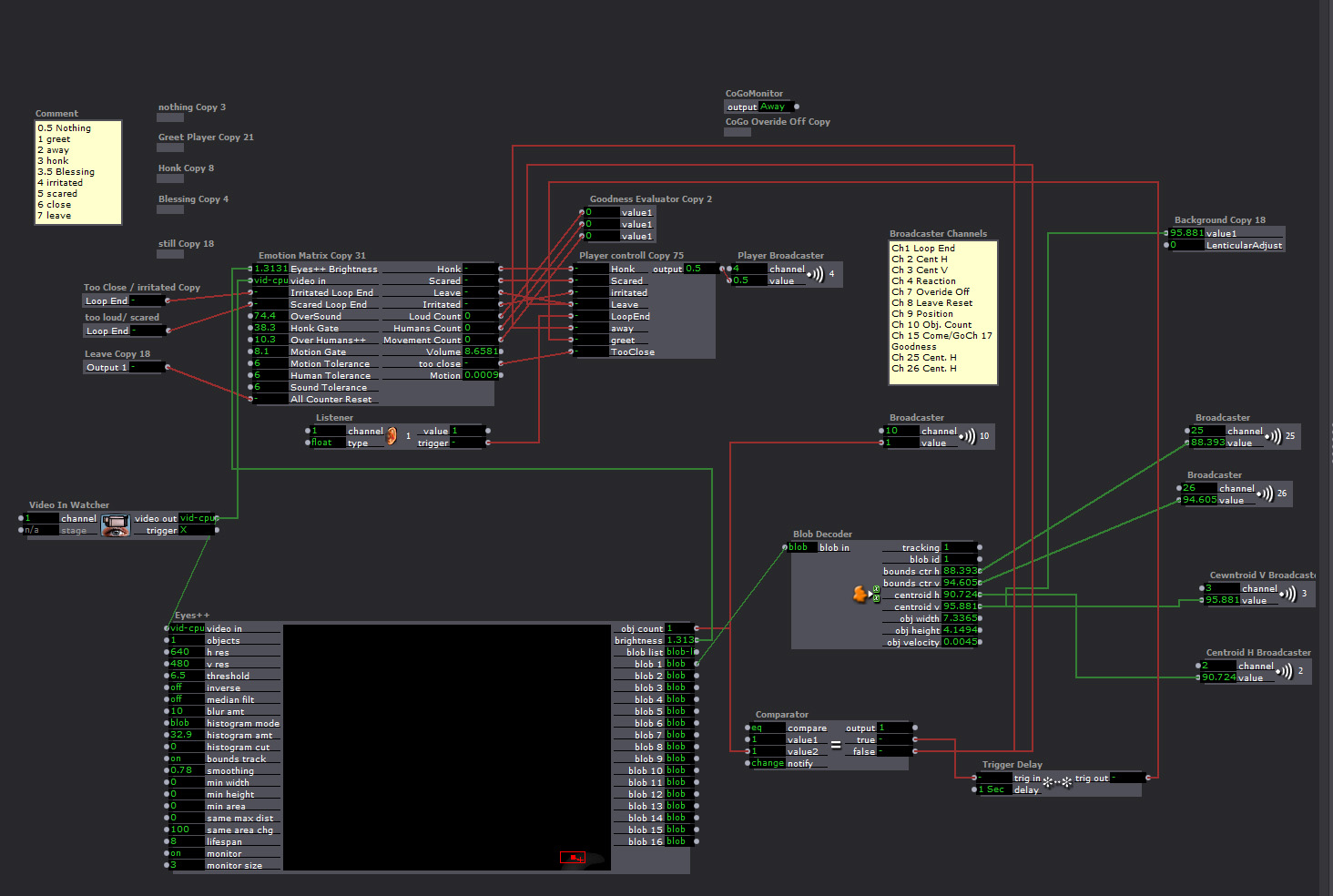
The Master Patch
Eyes++ Tracking the viewer sending data to the “Emotion Matrix” that sent the character’s response to the “Player Controller”, which triggered the Players. The background interlacing was done in the “Background”.
This is the “Response Player”
There were 9 Responses (6 different animations, 2 actions that generated the same response, a still frame, and blank/away response). The players were very similar, but the “Leave” and “Greet” players had a broadcaster that toggled the character’s Here/Away state so noises when no one was around wouldn’t trigger the honk response.
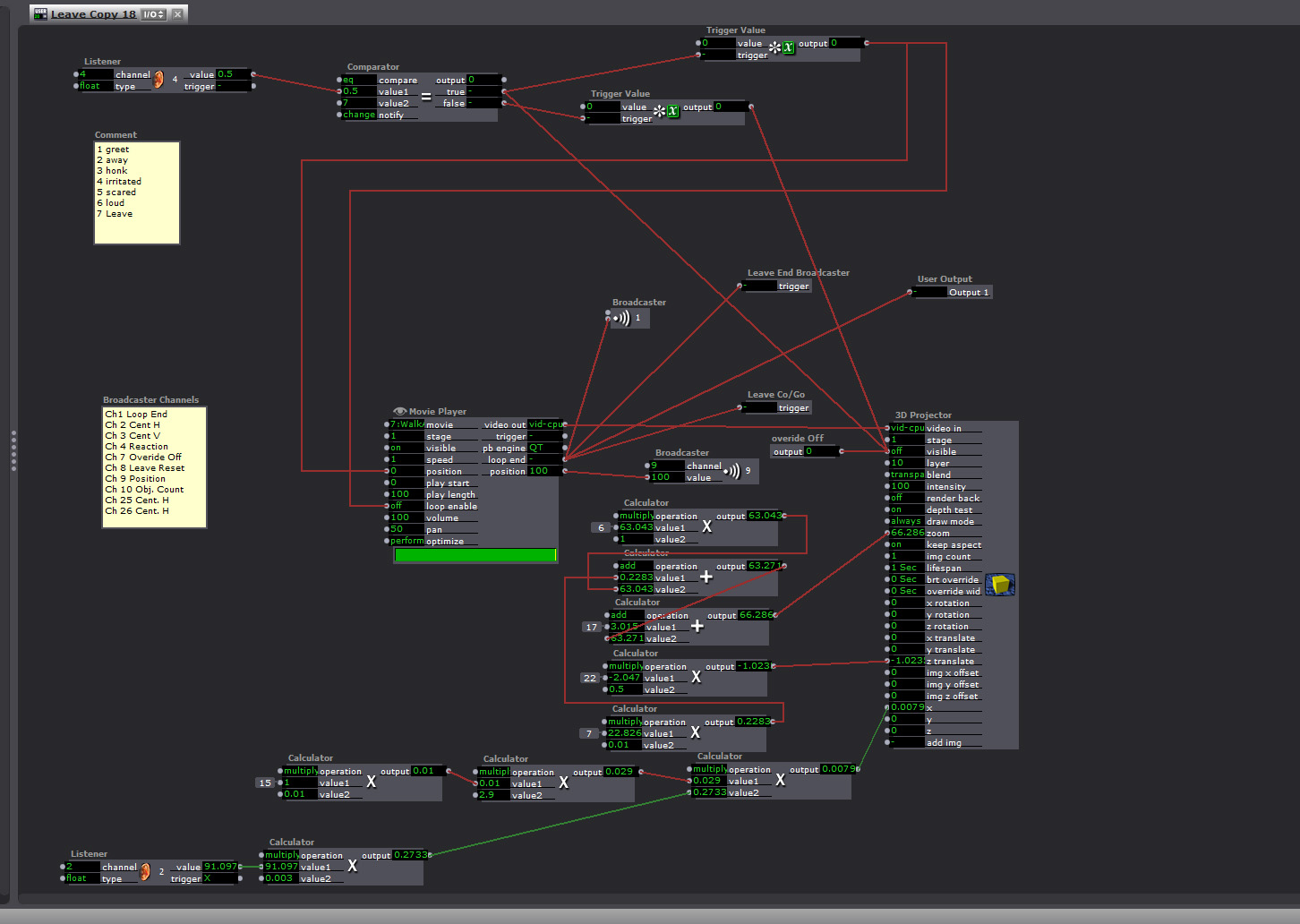
The responses were:
1. Leave (triggered if no one was there, or you pissed him off)
“Honk” walk off camera off and subtitles read “Whatever Mammal”
2. Greet (triggered when someone arrives, the “Blob Counter” was 1)
Walks Up to the camera
3. Too Close
Honks and the subtitles read “You are freaking me out human”
4. Too Loud
Honks and the subtitles read “Are humans always this loud?”
5. Too much motion
Honks and the subtitles read “You are freaking me out human”
6. Too many Humans
Honks and the subtitles read “You are freaking me out human”
7. Honk
Honks and the subtitles read “Hey”
8. Blessing
Honks and the subtitles read “May your down always be greasy and your pond go be dry”
9) And Pause or Away (still frame, or blank frame depending on weather it the state was “Here or Away”)
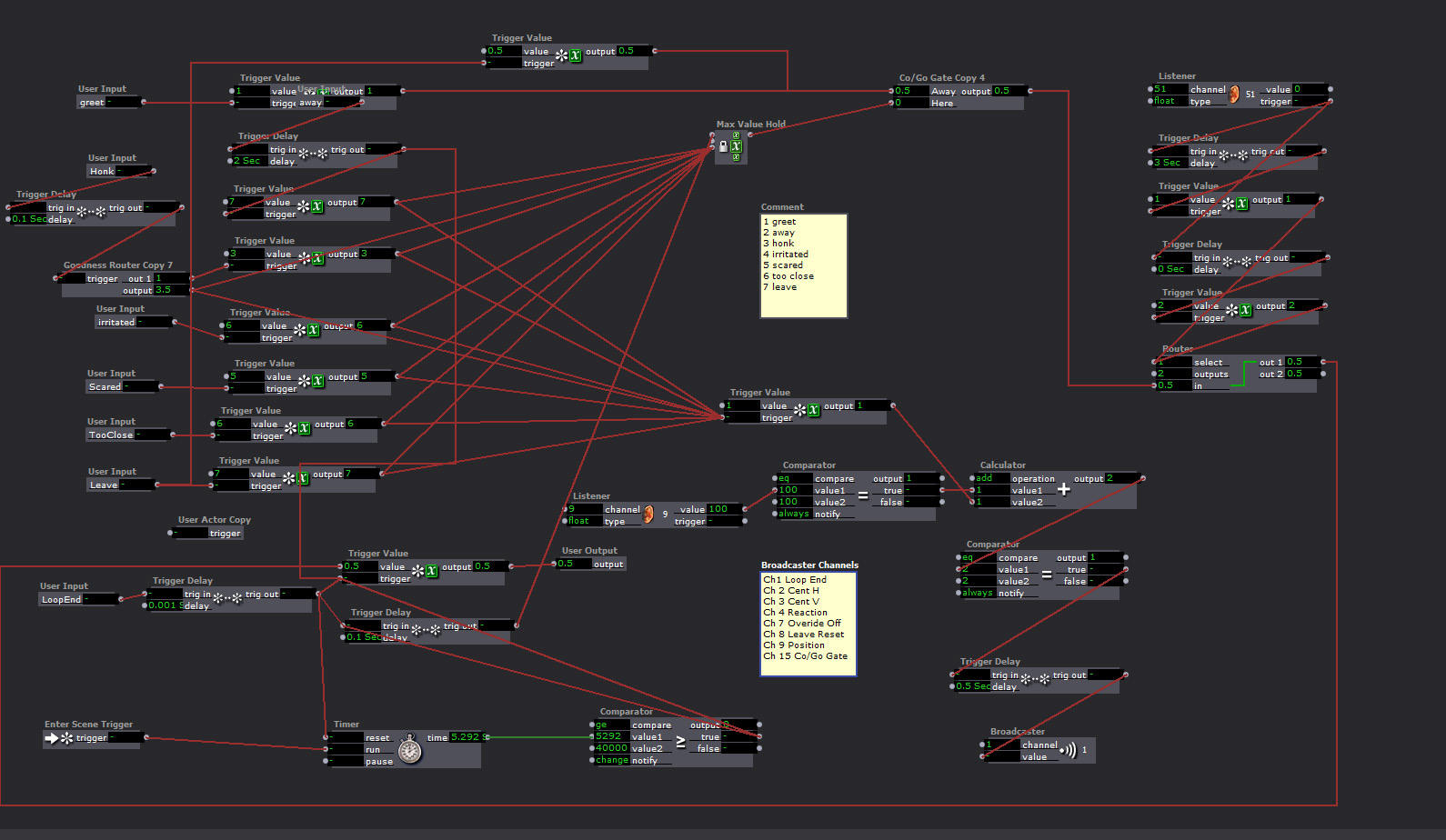
“Playback Controller”
The response is generated in the Emotion Matrix, and this keeps the responses from triggering at the same time
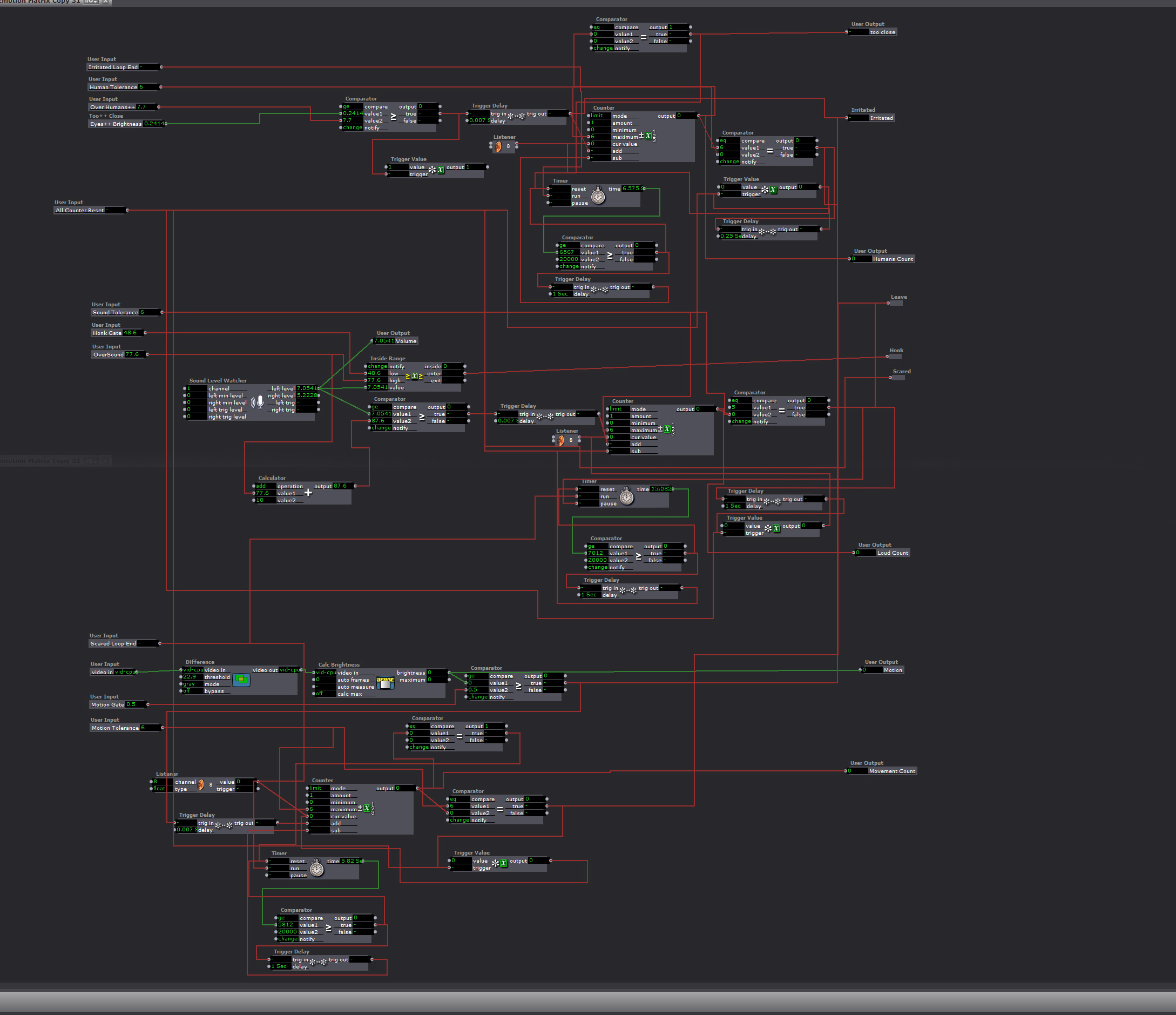
The “Emotion Matrix”
Too much fast motion, getting too close, being too loud, or too many people around would generate a response, and add negative points to the goose’s attatude. If the score got too high, he would leave. If you did not have any negative points and you said something at normal talking tone volume, the goose would give you a blessing. If you had been loud or done something to irritate him, he would just say “Hey”. The irritants would go down over time, but if you got too many in too short a time the goose would walk away.
The “Goodness Elevator”
This took input from the negative response counter and routed the “Honk” response to a blessing if the count was 0 on all negative emotions.
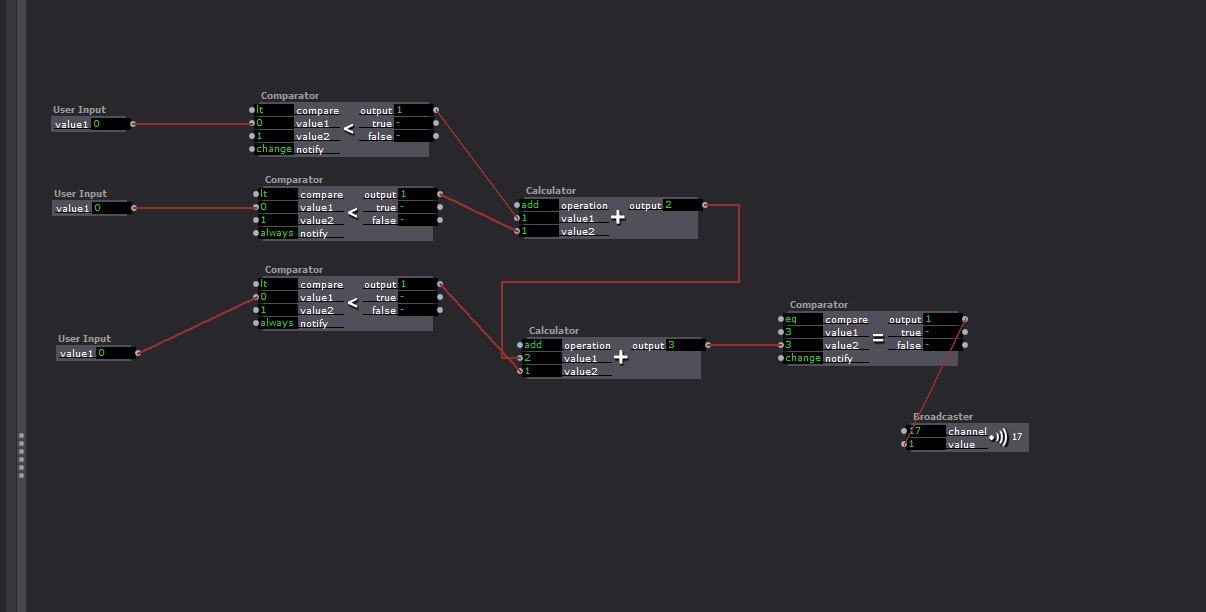
What went wrong…
The background interlacing reduced the refresh rate to under 1 FPS at times. At such a slow rate several of the triggers that start the next response arrive at the same time. There were redundancies to keep them from all happening at once, and to keep a response from starting when one had been triggered but at 1 FPS they were all happening at once.
I had a broadcaster that was sending the player position that was used to ensure the players did not respond at the same time, and to trigger the next response when the last one was over. A “comparator” and a “router” kept the signals from starting while a player was playing, but if too many signals came at once, and the refresh rate was too low, there was no way to keep one response from starting while the other was playing.
I finally fixed it by eliminating the live feed, and the moving background. I tried just replacing the4 live feed with a photo, but interlacing it, and moving the background image was more than the computer could handle.