Pressure project1-Geometric Starfield
Posted: October 2, 2026 Filed under: Uncategorized Leave a comment »Brief Description
I used simple geometric shapes such as circles, rectangles, and triangles in TouchDesigner and combined them with movement, feedback, noise, and other visual effects. Once the program starts, the shapes continue to move and change without requiring any interaction. I also added audio to the project so that the movement and visual effects of the shapes develop along with the sound, creating an audiovisual piece that can run and loop on its own.
Process Reflection
My original idea was to create something similar to the game Snake, where a shape would continuously move around the screen and create new changes after touching or “eating” other shapes, such as changing its size, movement, or visual effects. However, once I started working on the project, I realized that creating a complete game system with too many interactions would be difficult to finish and polish within five hours, especially based on what I currently know about TouchDesigner. Because of this, I changed my direction and started with simple geometric shapes, focusing more on their movement and visual relationships with each other.
I used LFOs to create continuous movement and connected different values to Transform parameters to control the position, size, and movement of the shapes. One of the visual elements I created was a small white ball with a trailing effect that moves along an equilateral triangular path. I then duplicated it and reversed the direction of the path. When the two triangular paths overlapped, they created the appearance of a six-pointed star. I also experimented with Feedback, Noise, Level, and Composite to create more visual changes. At first, I considered adding more shapes, interactions, and colors, but I realized that too many elements would not only be difficult to complete within five hours, but could also make the visuals feel too busy. My first version used mostly rainbow colors. Although it looked colorful, the overall result felt messy and even a little cheap. I eventually changed to a simpler color palette so that the movement of the shapes could become the main focus. I also added particle effects in the background to create an atmosphere that feels like a starry sky.
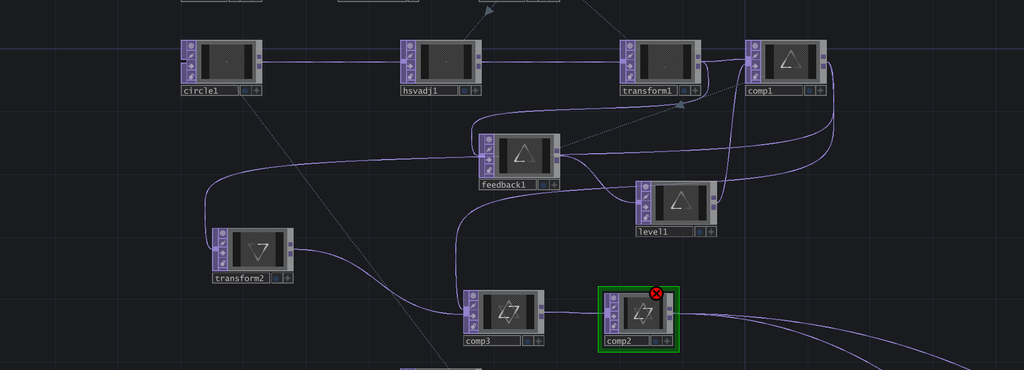
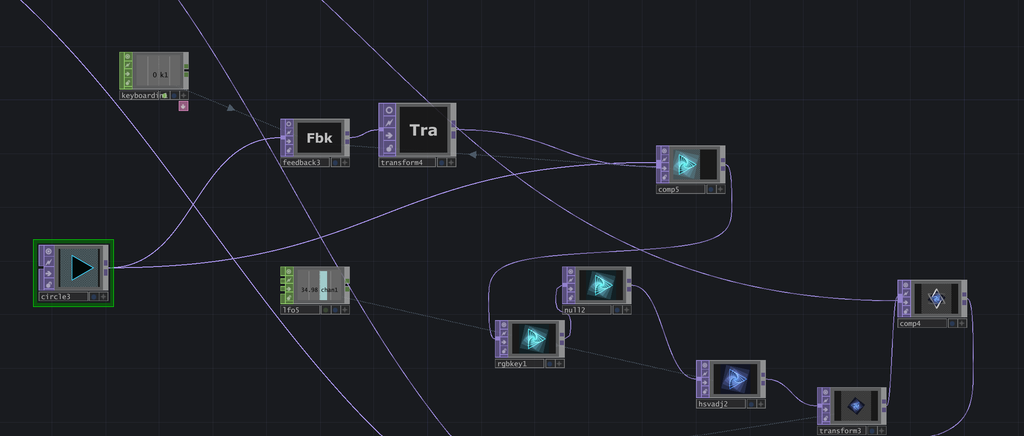
While learning TouchDesigner and working on this project, I was surprised by how much a small change in a parameter could affect the final result. For example, changing the speed of an LFO or adjusting the position, size, and movement range of a shape could completely change the rhythm and feeling of the composition. Combining different nodes also gave me a lot of flexibility to create different effects. Compared with After Effects, which I have used before, I found that I prefer TouchDesigner for creating this kind of looping animation. Its real-time workflow allows me to adjust parameters and immediately see the results, which makes the experimental process more direct.
During the in-class presentation, I felt that most of my classmates watched at least one full cycle of my piece. Although I did not achieve the “make someone laugh” achievement, I still received some positive feedback. The presentation also gave me a chance to see how other people responded to the pacing and visual changes in my work. Overall, this project helped me become more familiar with TouchDesigner and gave me my first experience creating a visual system that can continuously run on its own. In the future, I would like to experiment with more complex systems and audio controls to make the work more dynamic and engaging.