Pressure Project #3 – Tomato Tales
Posted: April 16, 2026 Filed under: Uncategorized Leave a comment »From my understanding this pressure project was to create an audio-based experience tied to a cultural subject close to you. We only had 5 hours total to work on it. Maybe due to the amount of work, I had ahead of me at the time, in this course and others I decided to go with the first idea that came to me. I thought of tomatoes.
In a design course taken in the prior semester, we did an on visual mapping exercise. We had to make a map about tomatoes within the class period, anything about tomatoes. Most people chose cooking processes or the life cycle of a tomato as an agricultural good. I tried to find a connection between tomato sauces, as I thought of mole (the sauce) and how every culture around the world seems to have their own version of tomato sauce…so where did tomatoes come from and how did they get to Italy?
It was colonialization, because of course it was. But Tomatoes originate from South America in the Inca Empire and flourished in the Aztec Empire.
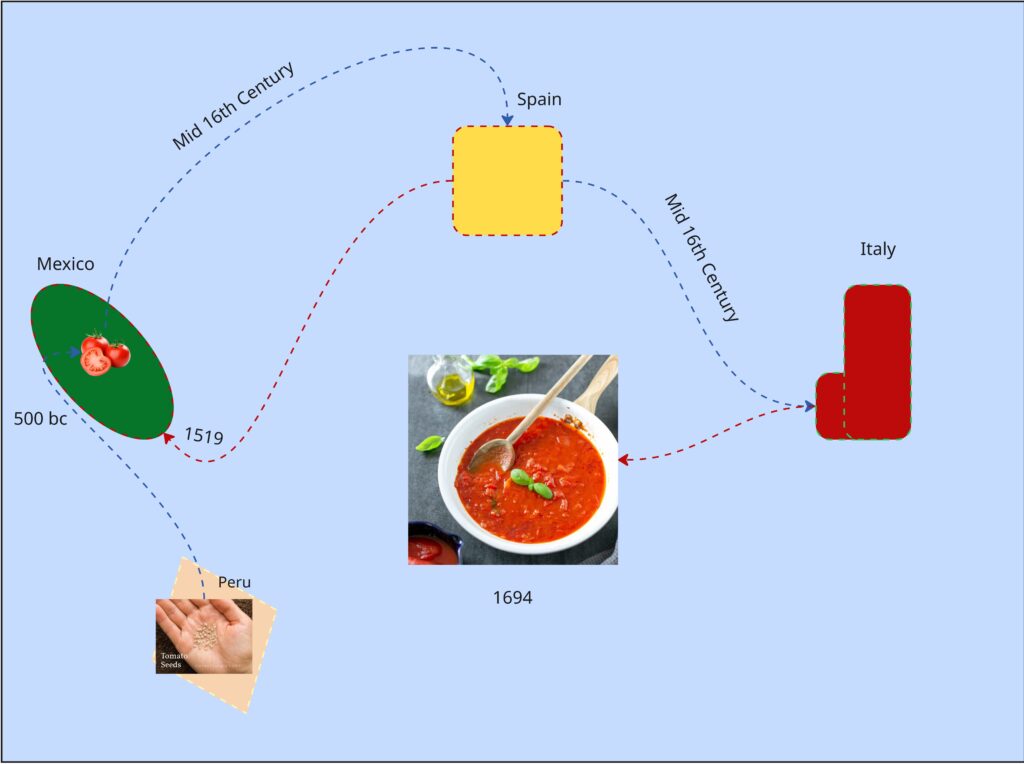
It’s not the prettiest chart but I spent most of the exercise learning about tomatoes.
So, I made an audio experience using tomatoes as the means of interaction. While we weren’t allowed to show any visuals through the first playthrough I planned to reveal the control panel for the sounds with a second playthrough (which was allowed). I prompted the audience to try to piece together a narrative taking place, before and after the second playthrough.
As for the audio I built a library of 15th century Inca instruments, Aztec instruments and 16th century Spanish instruments. I began the recording with a sound of seeds rattling in a bag, followed by Inca instruments, gradually joined by Aztec performances showcasing the migration and meeting of two cultures. Aztec celebratory performances take the lead for a bit, to indicate the prosperity of the empire and cultivation of the crop. What follows is a change of lighting and sound. Waves and grumbling can be heard, followed with heavy footfall. A Spanish guitar plays a riff and is met with an Aztec Death Flute (scary ass sound) but is quickly cut off by the boom of a musket. This was to show way weapons (guns) from Spanish and other Western colonial forces were able to lethally end even the mightiest of native empires. To conclude waves and ship sailing sounds ensue again; a ren faire sounding band performance plays (apparently the sound of Italy at the time) along with chopping noises (the tomato is being used).
Shout out to Luke to basically nailing the message on the head when I prompted everyone to guess.
The recording process was very stupid. I used the Makey Makey and their soundboard app, however it doesn’t have a feature that lets you record in browser. So, I set up a microphone beside my speaker, and I am so shocked it didn’t sound horrible. I realized I more made a tactile activity for myself and gave far more cerebral activity for my audience (thinking game).
I chose this topic because colonialization is the primary driving force that has led to the life I live today. Colonialization is what makes me an American and not some random person in Ireland or Germany right now (where my ancestors are from). Colonialization is what provides us with iPhones, clothes…bananas most stuff really. My partner is here because her ancestors were stolen from their country and brought here as slaves. Behind almost every invention, creature comfort, and privilage that makes up the West is covered in a history of bloodshed… Including spaghetti if you follow the threads enough. This isn’t something to make people feel bad or anything. Knowing this type of thing is impotrant to me, how much violence makes up the creature comforts we have today. Who am I harming or partcipating in the harm of by consuming in the empire I live in now? How do I react to learning this things?
The good news is, I don’t really like tomatoes anyway.
Mole is pretty good though.
Cycle One: The Movement-Based Sound Explorer
Posted: April 13, 2026 Filed under: Uncategorized | Tags: cycle 1, FluCoMa, MaxMSP, MediaPipe, touchdesigner Leave a comment »As I began thinking about what I wanted to make my cycles about, I found myself gravitating towards a question I had previously been interested in when beginning to work on my senior project at the beginning of the year: How might technology allow for the creation of new modes of musical interface, where the relationship between audience and performer is almost entirely dissolved?
My primary resource was Max/MSP, as I know it best of all the computer music softwares, and I find it very useful for the development of new ways of making music.
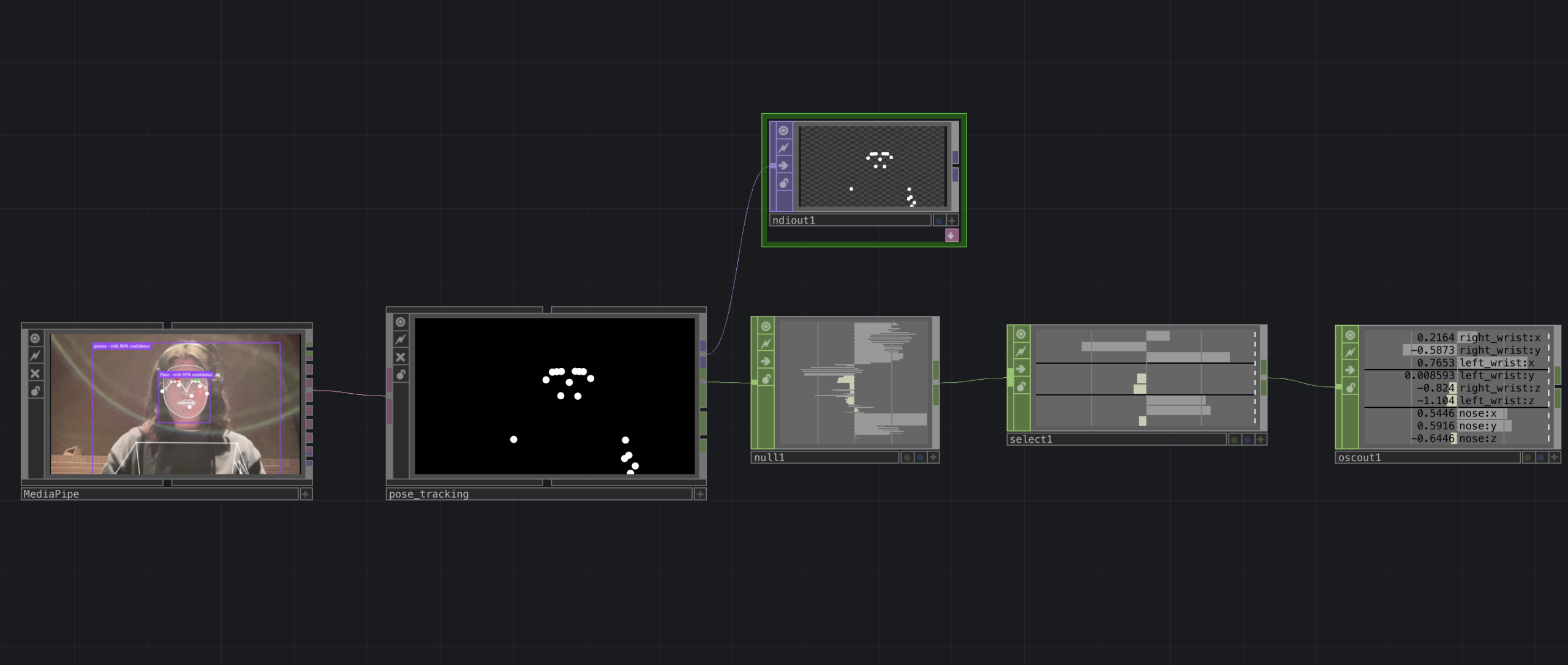
Going into this cycle I knew one of the central resources that I could use to help me answer this question was Google MediaPipe–a real time motion capture software that uses webcam input as opposed to dedicated hardware/software that requires mo-cap suits. This allows for systems which anyone can easily interact with, even without knowing how the system works or what each mo-cap landmark is controlling. I handled this part of my patch in TouchDesigner, as the Max integration of MediaPipe has some difficulties I don’t have time to get into here.
My main goals for this cycle were to create an interface to interact with sound that was fun, interesting, but also left room for potential emergent behavior when left in the hands of different users.
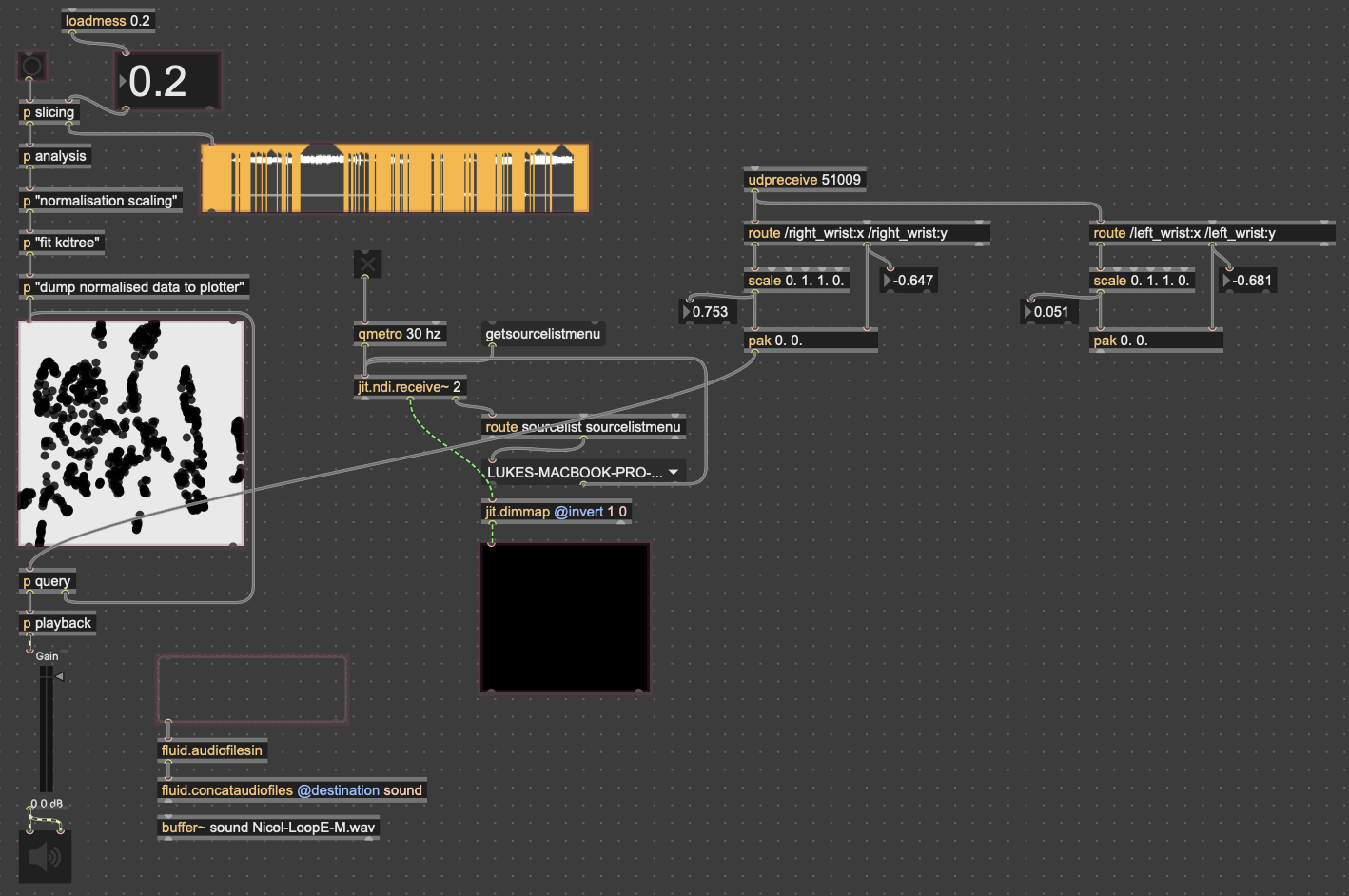
The second major piece of software I used was the Fluid Corpus Manipulation (FluCoMa) toolkit for Max/MSP (also available in SuperCollider and Pure Data). This toolkit uses machine learning software to analyze, decompose, manipulate, and playback a large collection (or corpus) of samples. I initially chose this piece of software as one of its modes of playback is a 2D plotter which can map two different aspects of the sample analysis on to an X and Y axis. I thought this would be a perfect interface for MediaPipe control as the base 2D plotter uses mouse input, which I found to be detrimental to using it as an “instrument.”
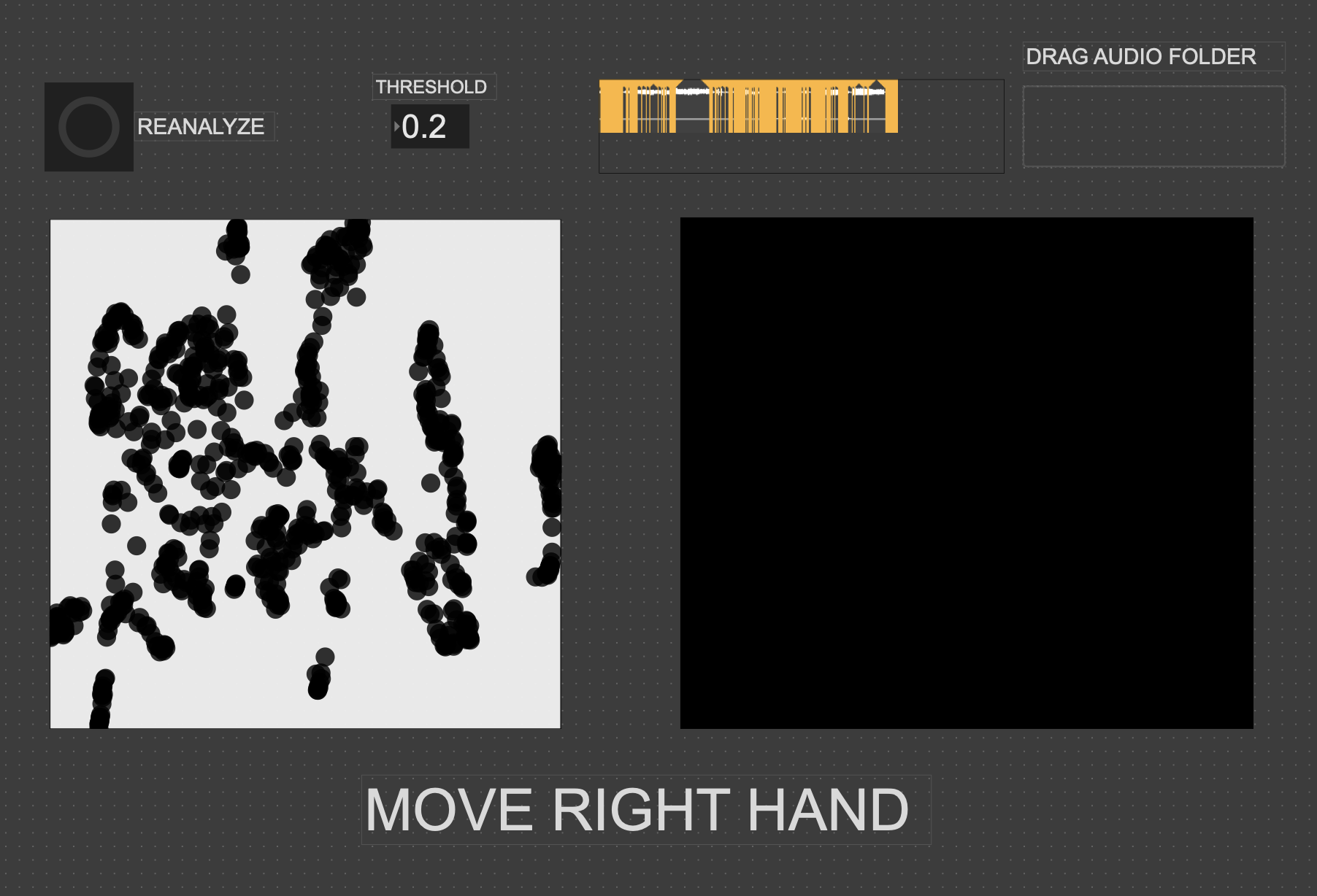
I had initially wanted to expand the idea of the 2D plotter to a 3D one, as I felt being able to interact with the patch in a 3D space would be much more natural. However, I found expanding the logic to work in 3 dimensions was a much more difficult task than I’d thought, so I decided to stick with the 2D plotter for this cycle.
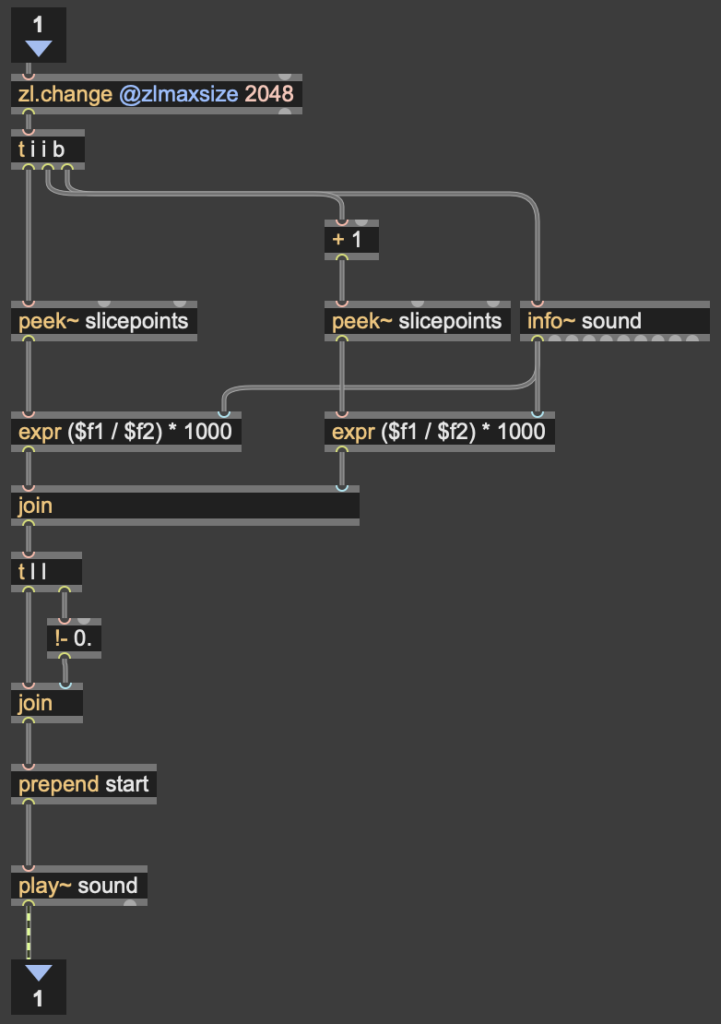
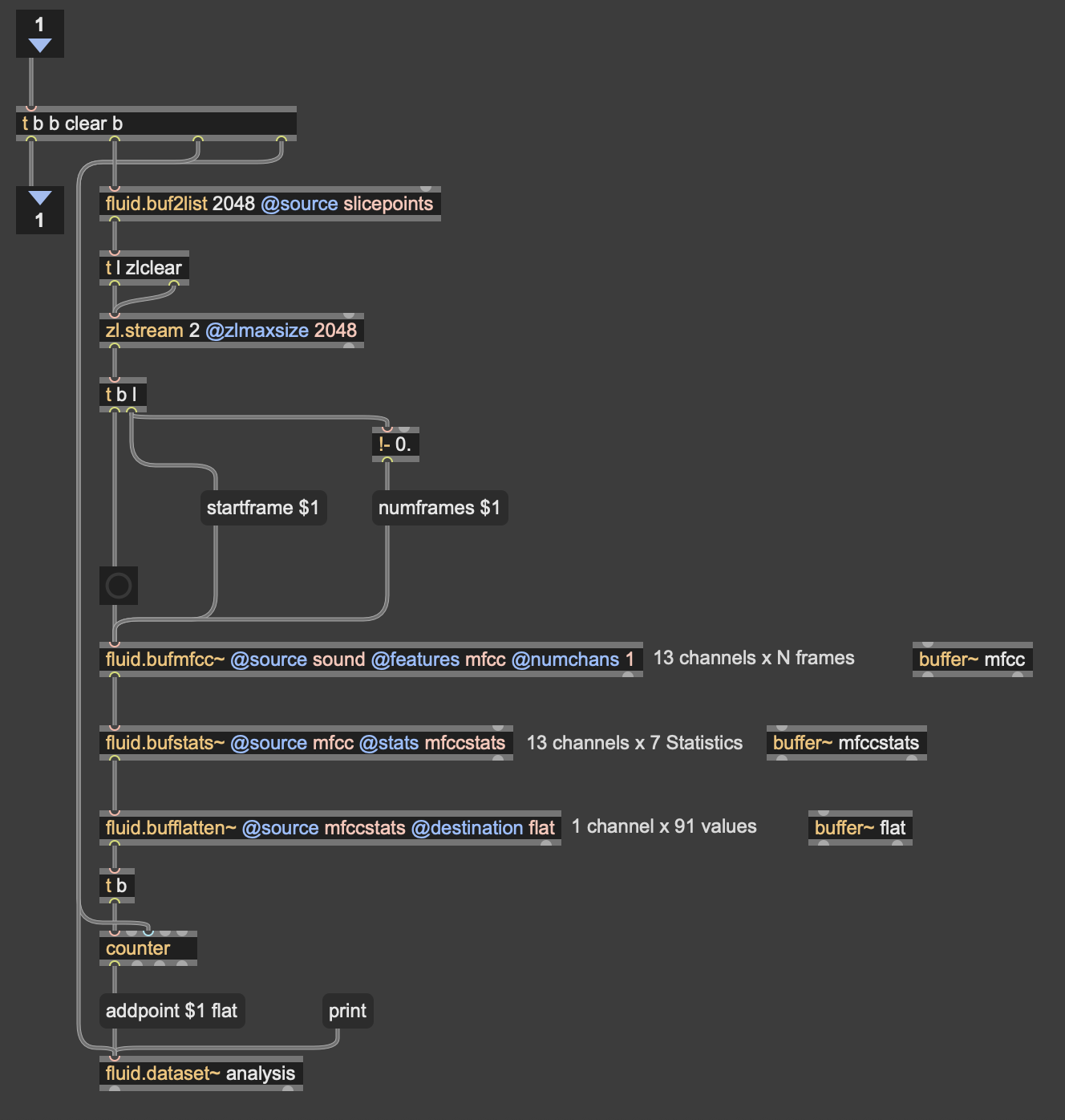
Results
I thought that I was mostly very successful with the goals I set out to accomplish. Everyone wanted to try out the patch, which I thought was a testament to the “fun” and “interest” aspects of it. The controls were also quickly picked up on, which was a goal of mine, as I’m interested in systems that audiences can interact with regardless if they’re conscious of the mechanics of that interaction or not. I was most interested to see how different people had their own unique ways of interacting with it as well. Chad, for example, was really trying to make something rhythmic and intelligible out of it, while others were going all over the place, or looking for specific sounds.
Some missed opportunities that I want to expand on in future cycles is the use of the Z dimension in controlling the playback of samples, as well as the use of multiple limbs to control playback. As you can see in the video, users were somewhat restricted in how they could control the patch by the Z direction not doing anything, as well as the fact that only the right hand could trigger sounds. By expanding this idea to 3D, instead of two, and allowing for the use of multiple limbs, I think it’ll give people more freedom in how they interact with the corpus of sounds.
This was the first real project I’ve done with FluCoMa, and thus I learned a ton about its mechanisms, particularly the storage of non-audio data in buffers. This is a concept used a lot more in environments like SuperCollider or Pure Data, as Max has some other objects for storing that kind of information. However because of the way the machine learning tools in FluCoMa work, it needs to store all of the information it may need in RAM. This was also the first project I’ve done sending OSC data between different apps on my computer, which had a bit of a learning curve as I discovered OSC data sends as strings, instead of floating point numbers. This didn’t create any real difficulty, as the conversion took no time, but it did make me aware of an important aspect of using OSC (particularly with Max, as certain objects process strings/floats/integers differently).
Cycle 1 -Solo (but at this moment) Paper Plate DJ
Posted: April 9, 2026 Filed under: Uncategorized Leave a comment »What is up?
Here is my cycle one post 🙂
I started this cycle with the hopes and dreams of creating a live performance experience that challenges the user to piece together a story from a song with lyrics they can’t understand. This branches from two research interests/questions.
1. How can interactive technology facilitate meaning-making and engagement with works of art?
2. How can designers best utilize interactive/immersive experiences to invoke a sense of power within their participants?
I tapped into my own personal lived experiences to explore these questions; I feel the most powerful when moving to music and playing rhythm games. So I set out to recreate that feeling of being pretty good at a rhythm game. Demonstrated in the brainstormed documents below 🙂
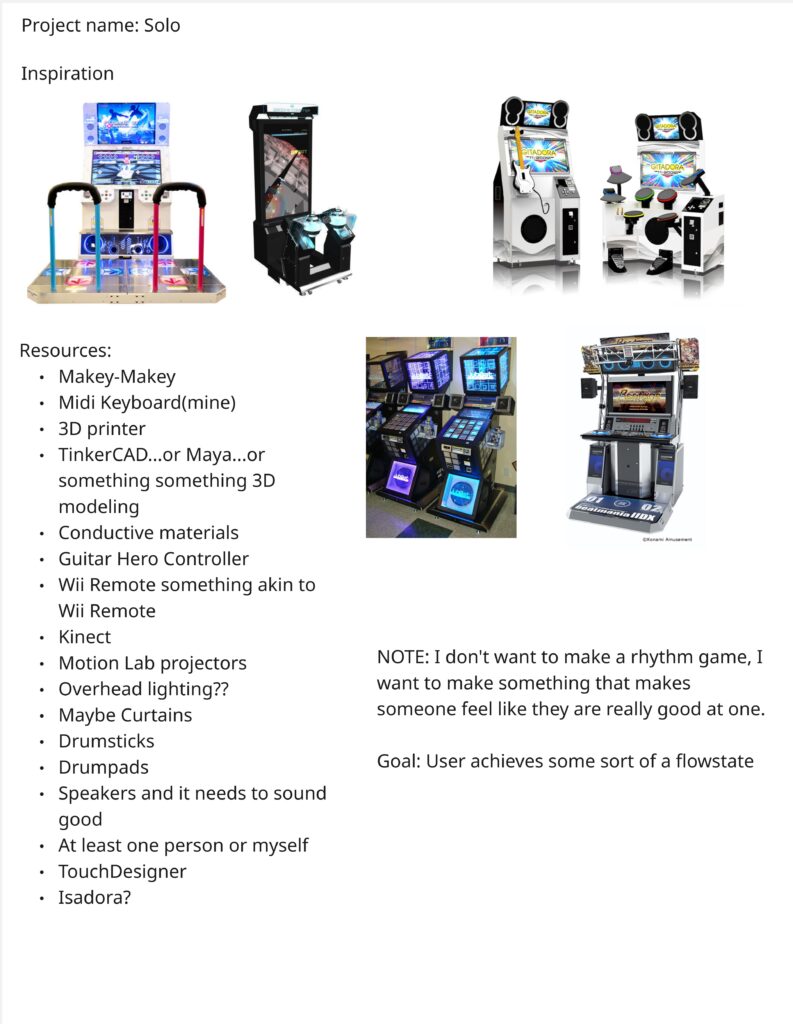
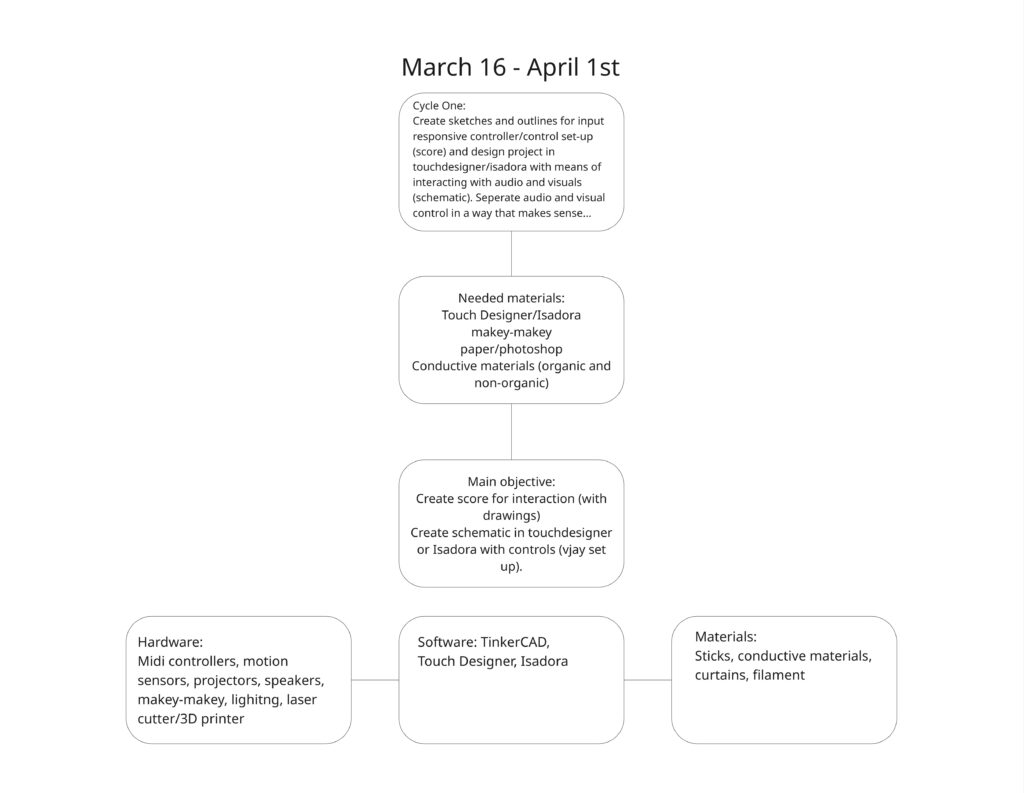
I chose a song that is entirely in Japanese, with the knowledge that no one in my class knows Japanese. I sectioned off a translation of the lyrics to attach to 4 different inputs that align with the imagery described. I also used the music video as a reference. I also planned to buy buckets. The user drums on various parts of the bucket that are labeled with lines of lyrics from the song. They will keep the tempo in the area of the drum where they believe the lyrics are being sung.
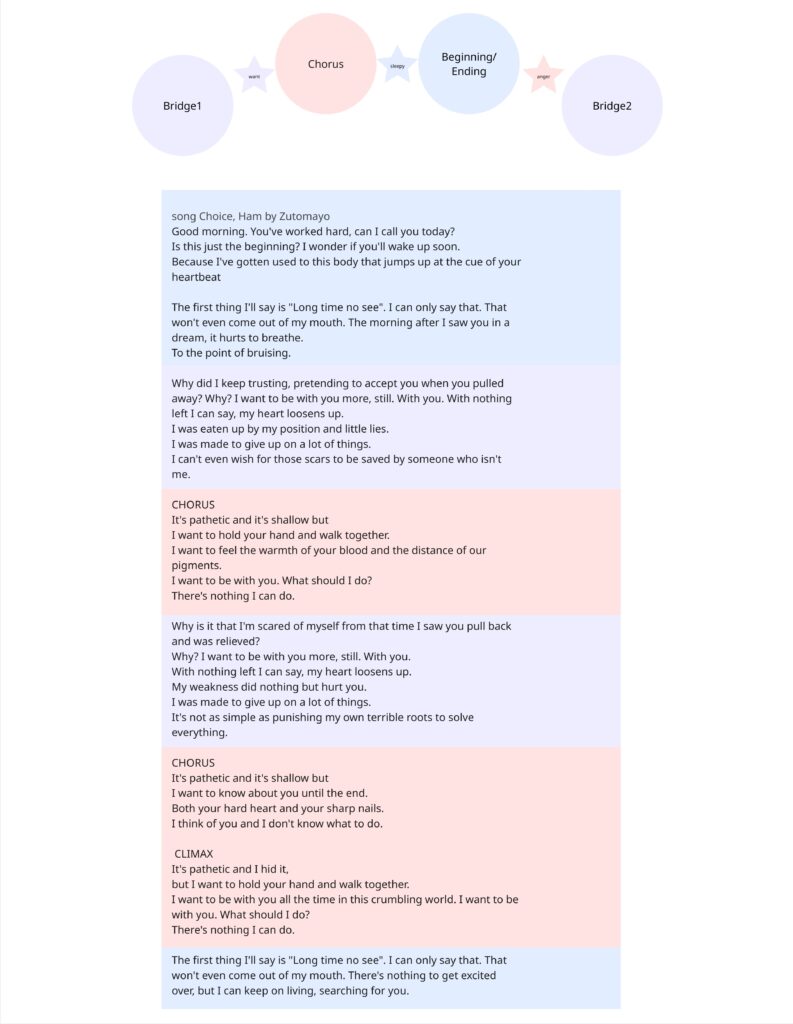
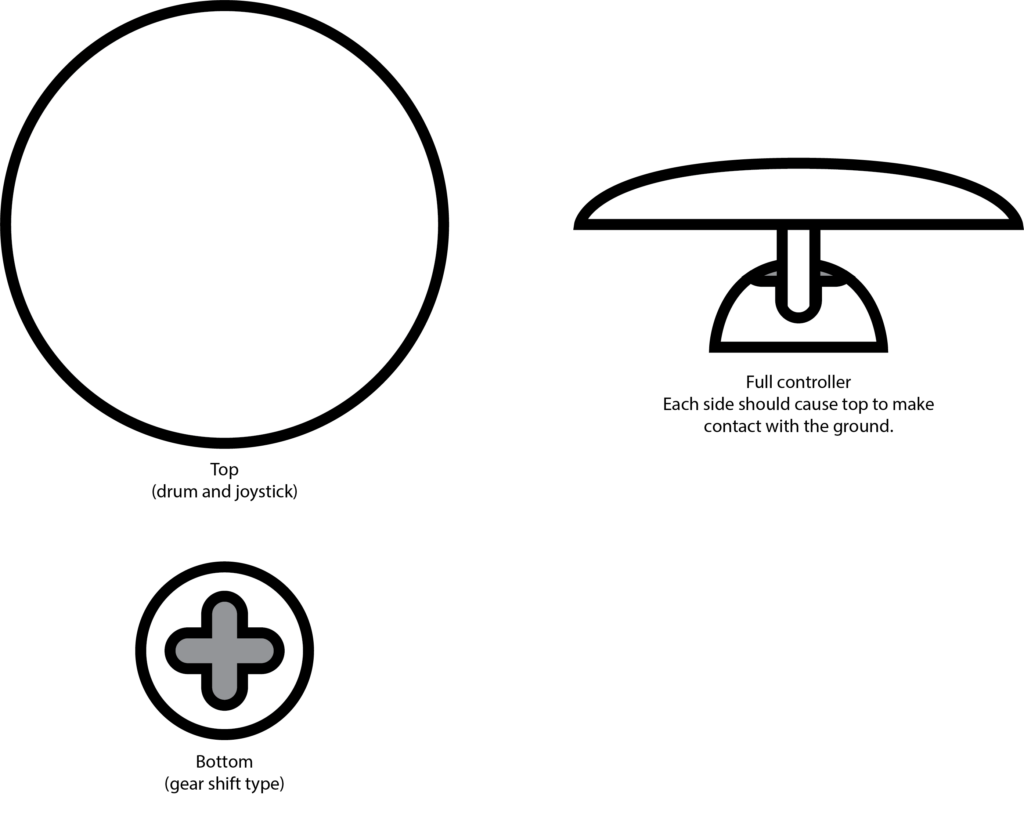
I decided to create the control scheme first – focusing entirely on that before setting up the physical controller.
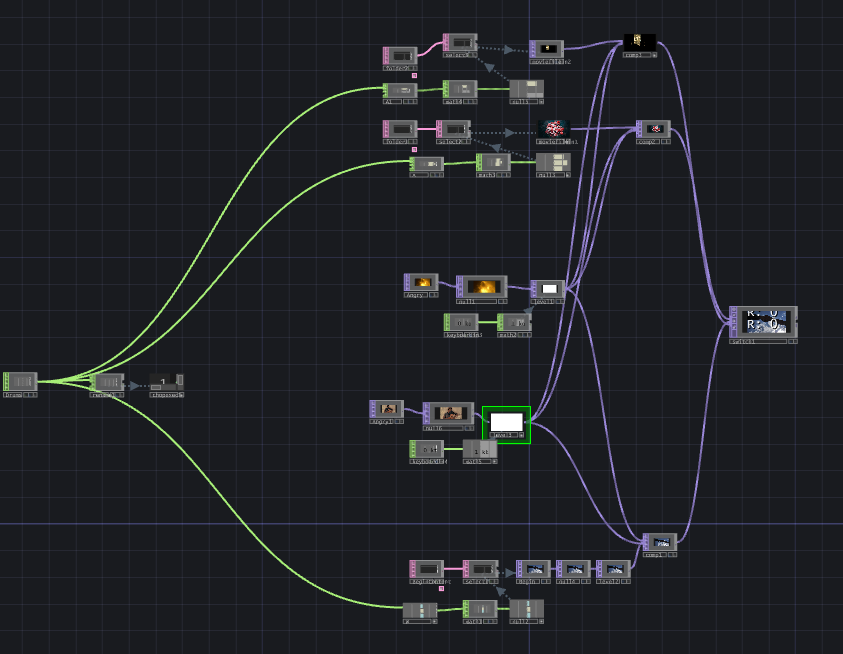
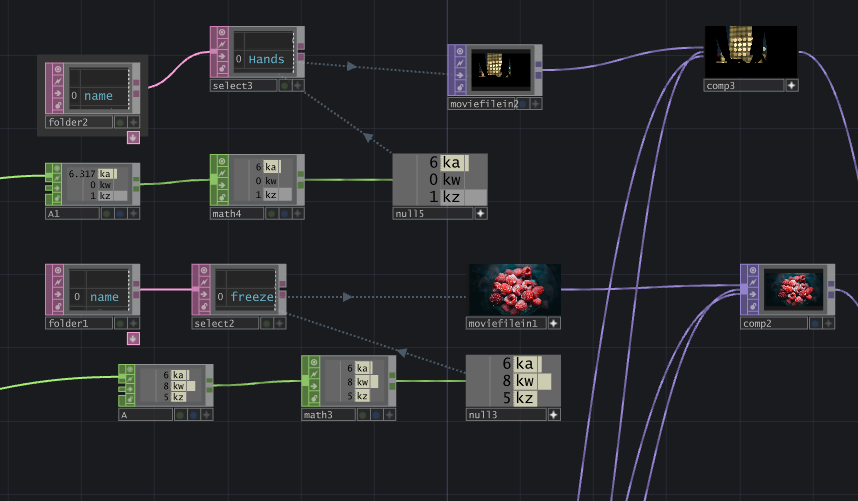
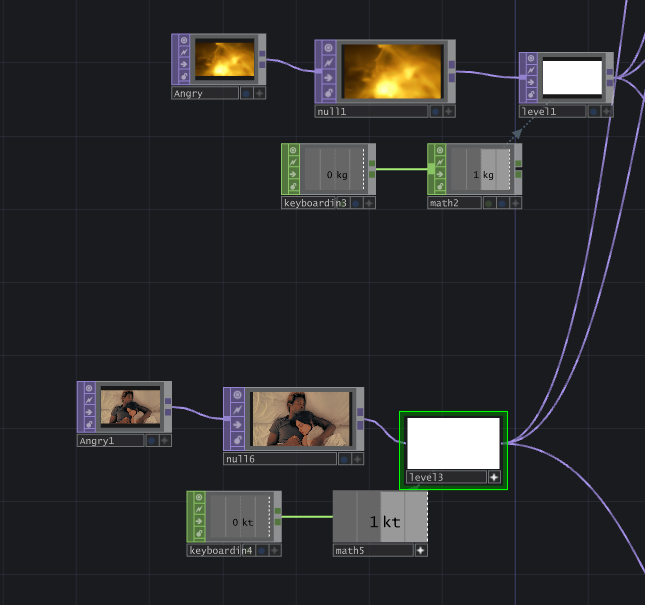
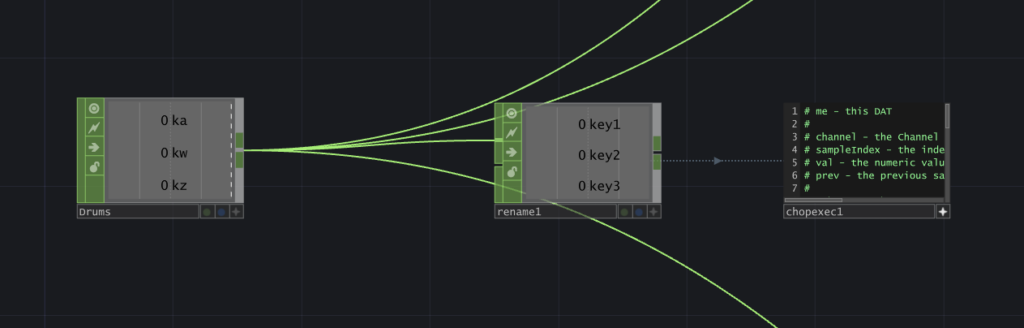
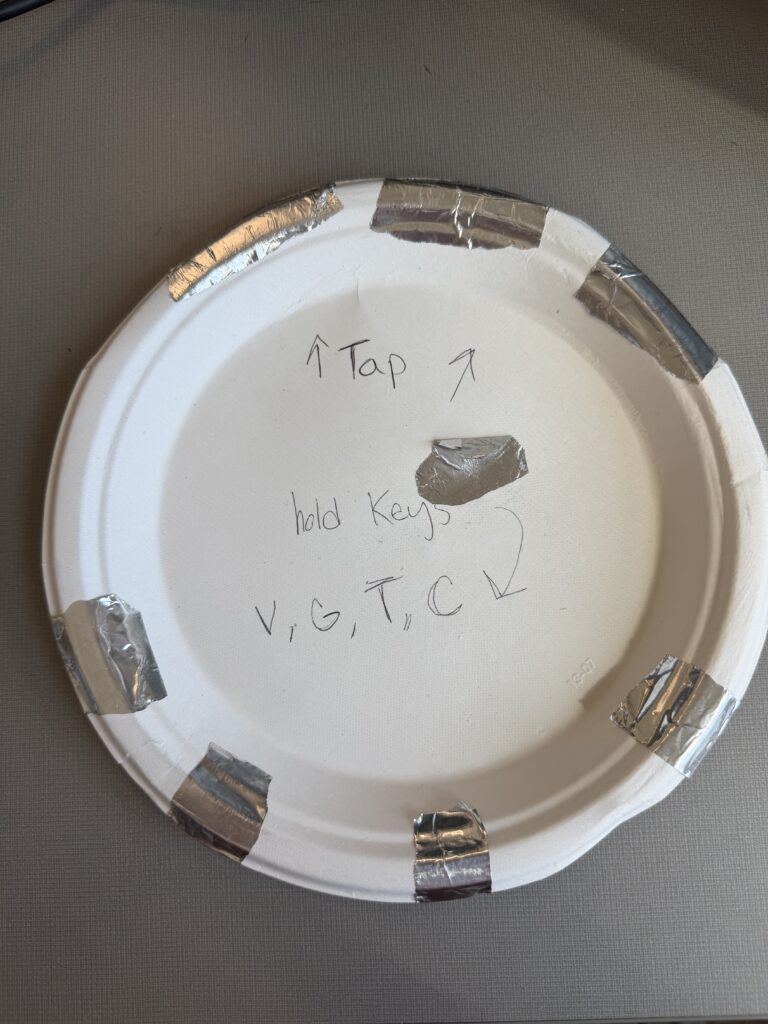
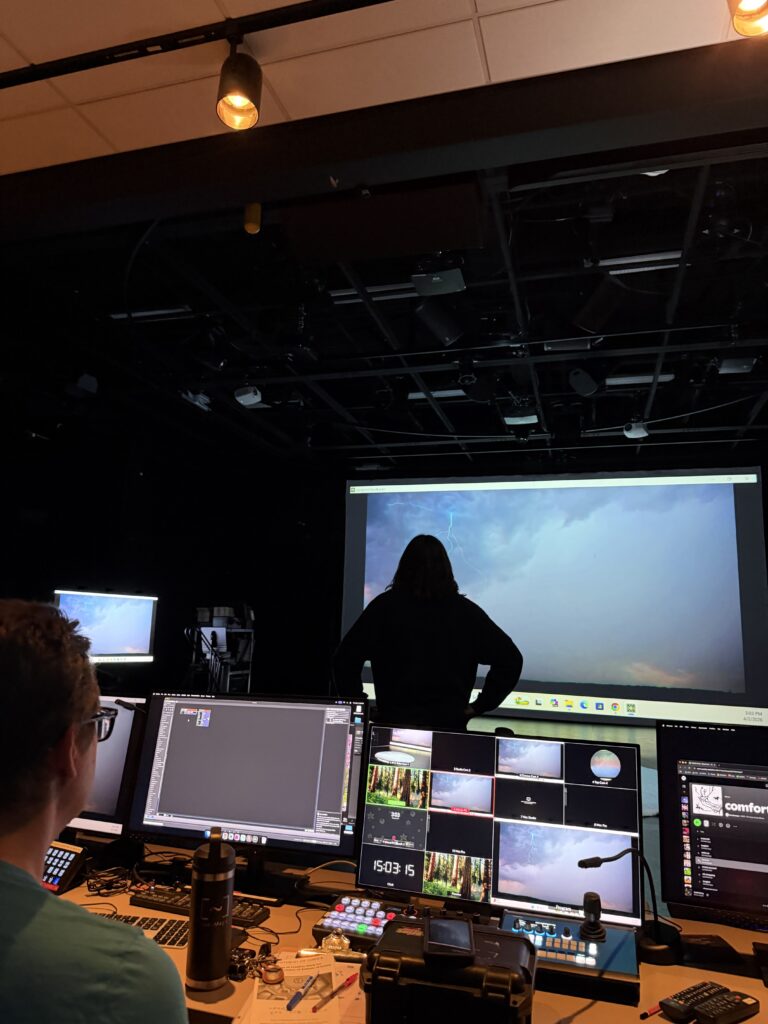
This test was accompanied by instrumental music. I didn’t want to reveal the song yet, and wanted to focus on the physical reactions with the controls to influence how I construct the controller in cycle 2. Most of the songs were slower-paced, but once a faster one came on, Chad (shown in the video above, but the specific moment wasn’t captured on film) stood up and rapidly switched between visuals, which contrasted with the slow, exploratory manner he had before when testing out the various interactions. The song I chose is a bit funkier and faster-paced than the music played before, so I think it will add some excitement to the interactions.
I received feedback that having the grounding element be the user holding their thumb to the center of the plate felt more natural than the watch, and avoiding tangled wires. I also received feedback on the controls being confined to the desk. I agreed as I plan to have the control be in the center of the room, but I didn’t have that prepared for this cycle… So on to the next…
Cycle 1: The (bad) Friend
Posted: April 7, 2026 Filed under: Uncategorized | Tags: cycle 1, touchdesigner Leave a comment »The Score
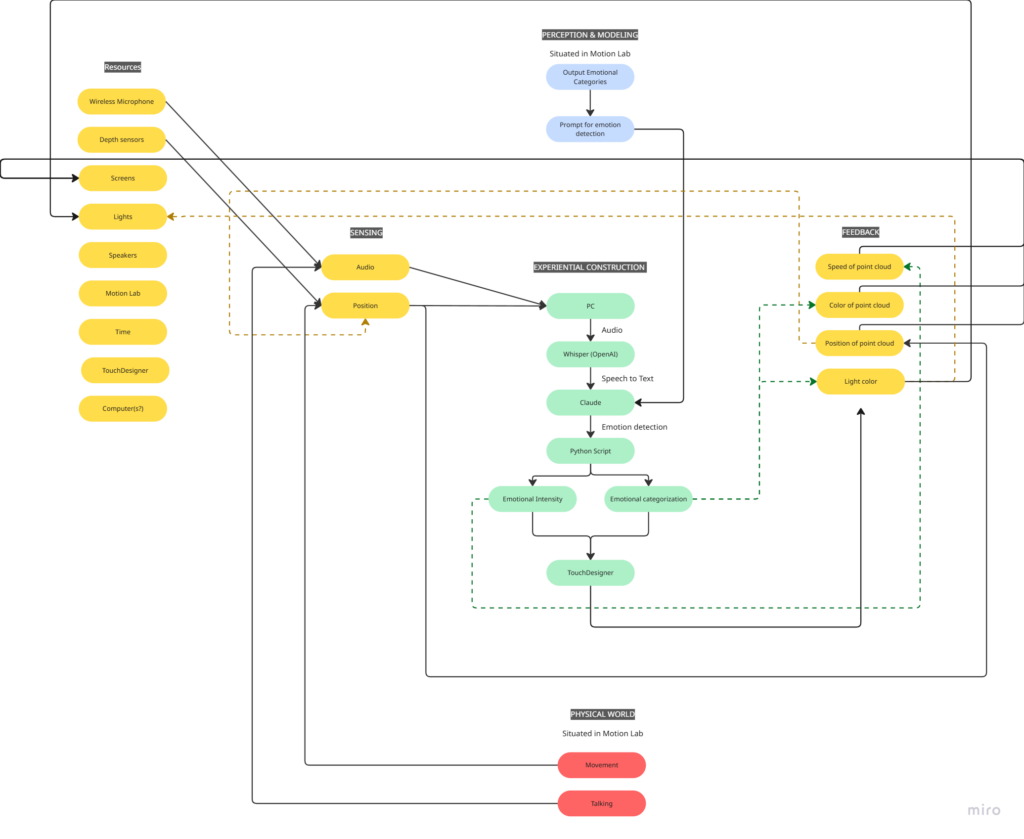
My idea for this cycle was simple (or atleast it seemed so in my head): make an AI-powered interactive experience where the user shares a space with an AI ‘presence’. It lives on a screen, but its there for you and it listens to whatever you have to say – or dont have to say. The score: a participant enters a space, speaks naturally, and the environment responds to the quality of what they shared through a particle system. No text output, no voice back. Just the space changing around them. The framing I gave participants was: “this is a friend you can talk to.” That framing is what became the main problem.
Resources
- TouchDesigner for the visual/particle system
- Python + PyAudio for microphone input
- OpenAI Whisper for speech-to-text transcription
- Claude API to interpret the speech and return atmospheric parameters (brightness, movement, weight, density) as JSON
- OSC to pipe values from Python into TouchDesigner
- Orbecc depth camera for body tracking (ceiling-mounted, blob detection)
- Motion Lab
- A Michael for troubleshooting (1)
Process and Pivots
I wrote a python script that takes user input through the microphone, then uses OpenAI Whisper for speech-to-text transcription. It then sends the speech to claude in order to parse it according to the system prompt I gave it, which were metrics like emotional register, weight, intensity etc. The python script in turn sends these metrics to touchdesigner through OSC. Inside touchdesigner, I made table DATs that were storing the values of the incoming signals in order to apply those values to the visual system (a particle system). The values were suppsoed to effect the movement and color of the particle system.
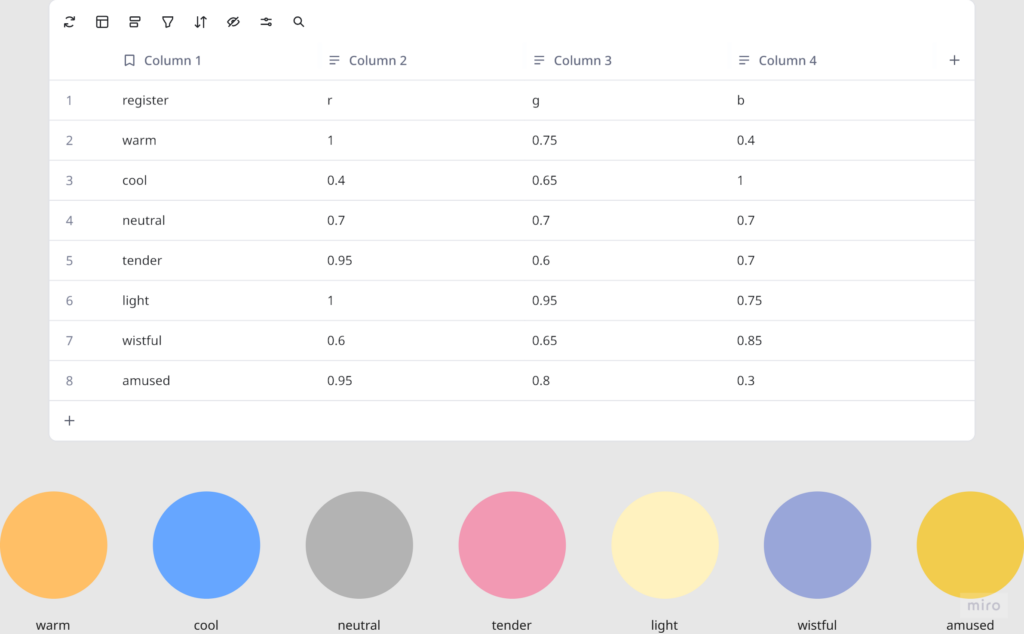
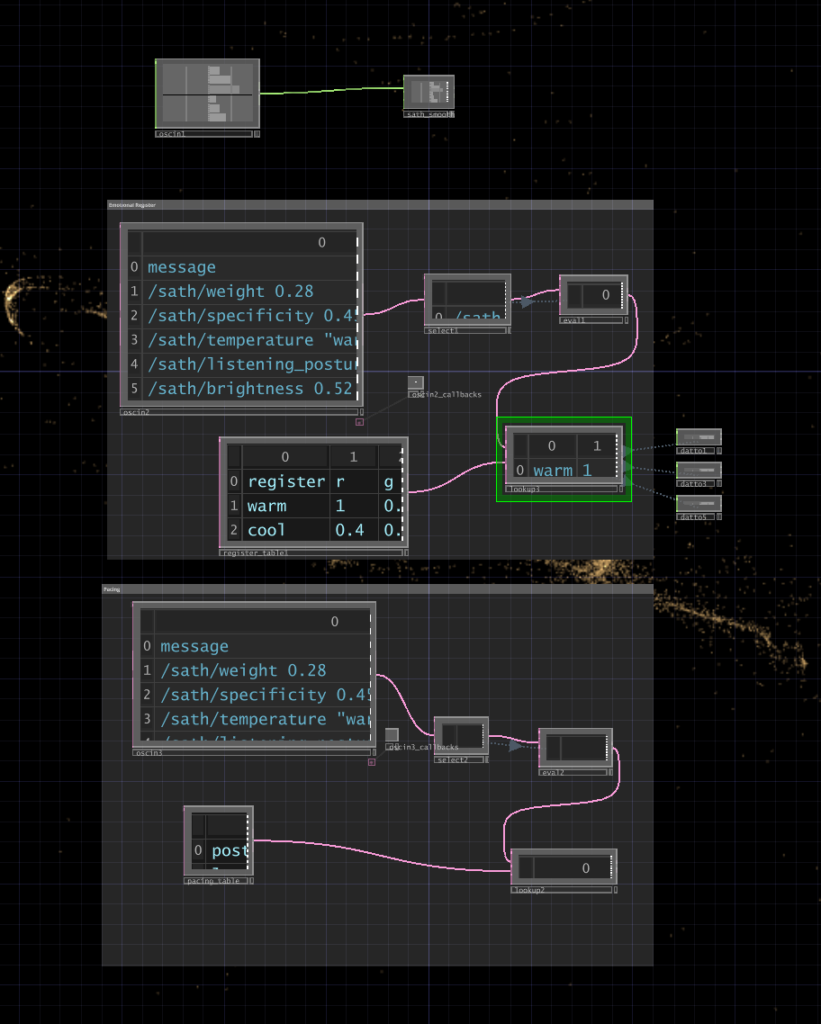
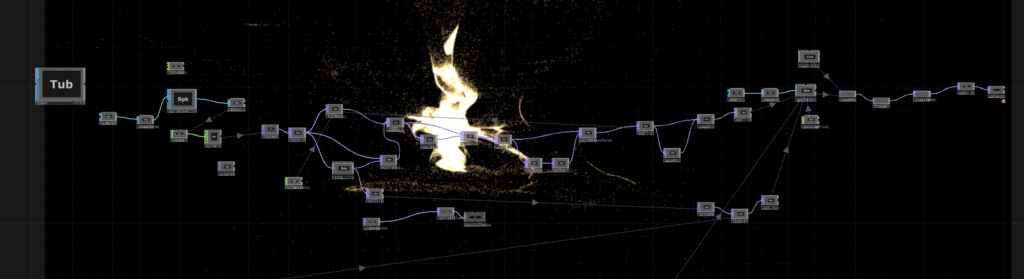
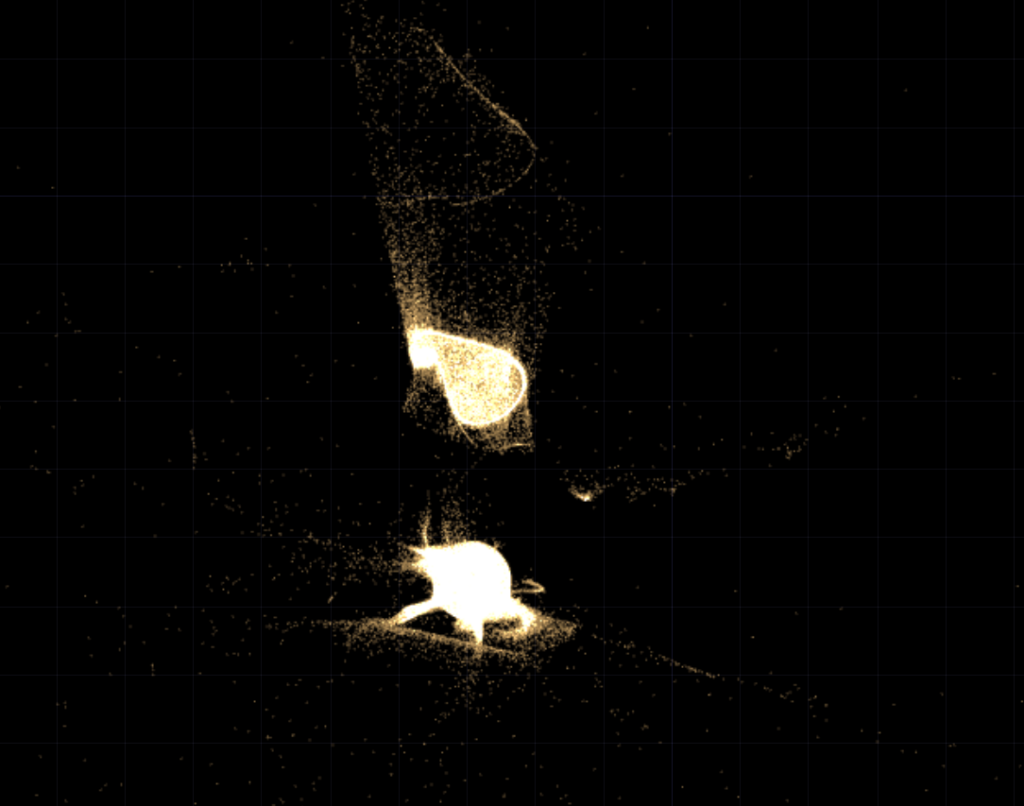
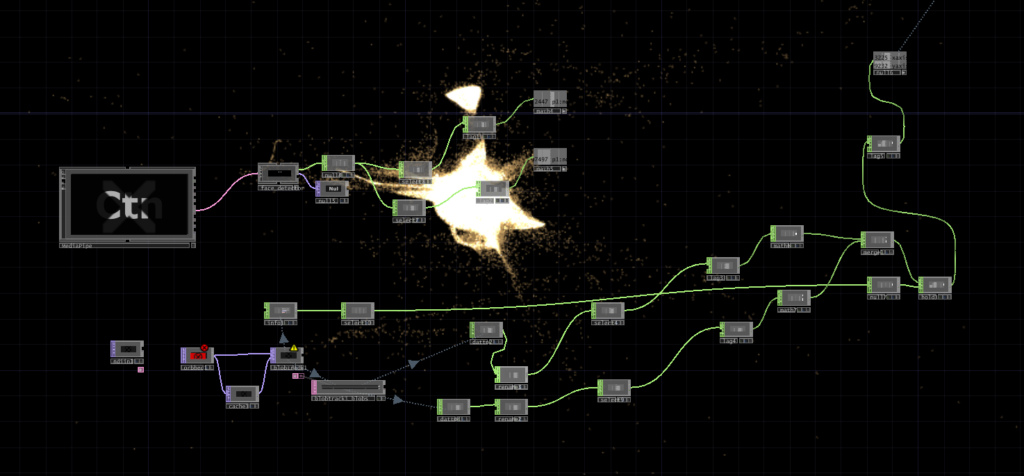
I initially built my system on MediaPipe for body tracking, but then when I shifted the system to the motionlab, I had revelations. The system worked fine for a laptop but for it to work in an open space and a big projection screen, it would need a camera directly in front of the participant’s face (and the screen) to work, which sounds horrible for an immersive experience. So, I switched to blob detection through the Orbecc ceiling camera. That took a while to get right. It wouldn’t even detect me and I couldn’t figure out why so I made the very obvious assumption that it hates me lol. Turns out it needs something to reflect off of and I was wearing all black.
The original prompt to Claude was trying to do an emotional analysis, as in read how the person was feeling and respond to that. At some point I rewrote it to just read the texture and quality of what was shared, not the emotional content. That was actually the most important design decision I made: the difference between “I understand you” and “I am here.” The particle system was jerking between states and it felt mechanical, so I also had to apply some smoothing for it to not act crazy.
What Worked, What Didn’t, What I Learned
What didn’t work: ALOT. I think apart from the framing of the system, I had not realized the amount of time I needed to properly do this. I had only gotten a limited amount of time in the MOLA so I was only able to troubleshoot the projection and not run through the whole pipeline. I did not anticipate alot of things as they went wrong the biggest example of this would be the lag. There’s bad bad latency in the pipeline (mic → Whisper → Claude → OSC → TouchDesigner) and it was long enough that participants got confused. They’d speak, nothing would happen, they’d speak again, then two responses would arrive at once. A few people got genuinely frustrated. The “friend you can talk to” framing made this much worse because it set up an expectation of conversational timing that the system couldn’t meet. Lou said it was a bad bad friend. Like one of those people who keep looking at their phone when you’re trying to talk to them.
What worked unexpectedly: The observers. People watching someone else use the system felt something – specifically, they felt empathy for the participant who was being poorly served by the AI. That observation became the most interesting research finding of the whole cycle.
What I learned: Time is the biggest resource, and you have to plan according to it. Instead of trying to force all of your bajillion ideas into the time that you have. Also, framing matters more than you think it does! Had the same system been framed a different way, I would’ve gotten away with it, but since I had framed it a specific way, there were specific expectations.