Cycle Two: A 3D Movement-Based Sound Explorer
Posted: May 5, 2026 Filed under: Luke Buzard | Tags: Cycle 2, FluCoMa, MaxMSP, MediaPipe, touchdesigner Leave a comment »Going into cycle two, I immediately knew that I wanted to take the ideas I had done in 2 axes of movement in cycle one and translate it to 3D. In order to do this, I needed to rework the analysis portion to plot all the samples in 3 dimensions, as well as figure out a new way for the user to see their movement within the corpus of sounds. For several days, I tried to do the analysis section on my own, but found myself unable to figure out how to plot them in a 3D space as I’m not great with Jitter, Max’s visual package. However, just about when I was getting ready to give up, I found someone who had already done exactly what I was trying to do.
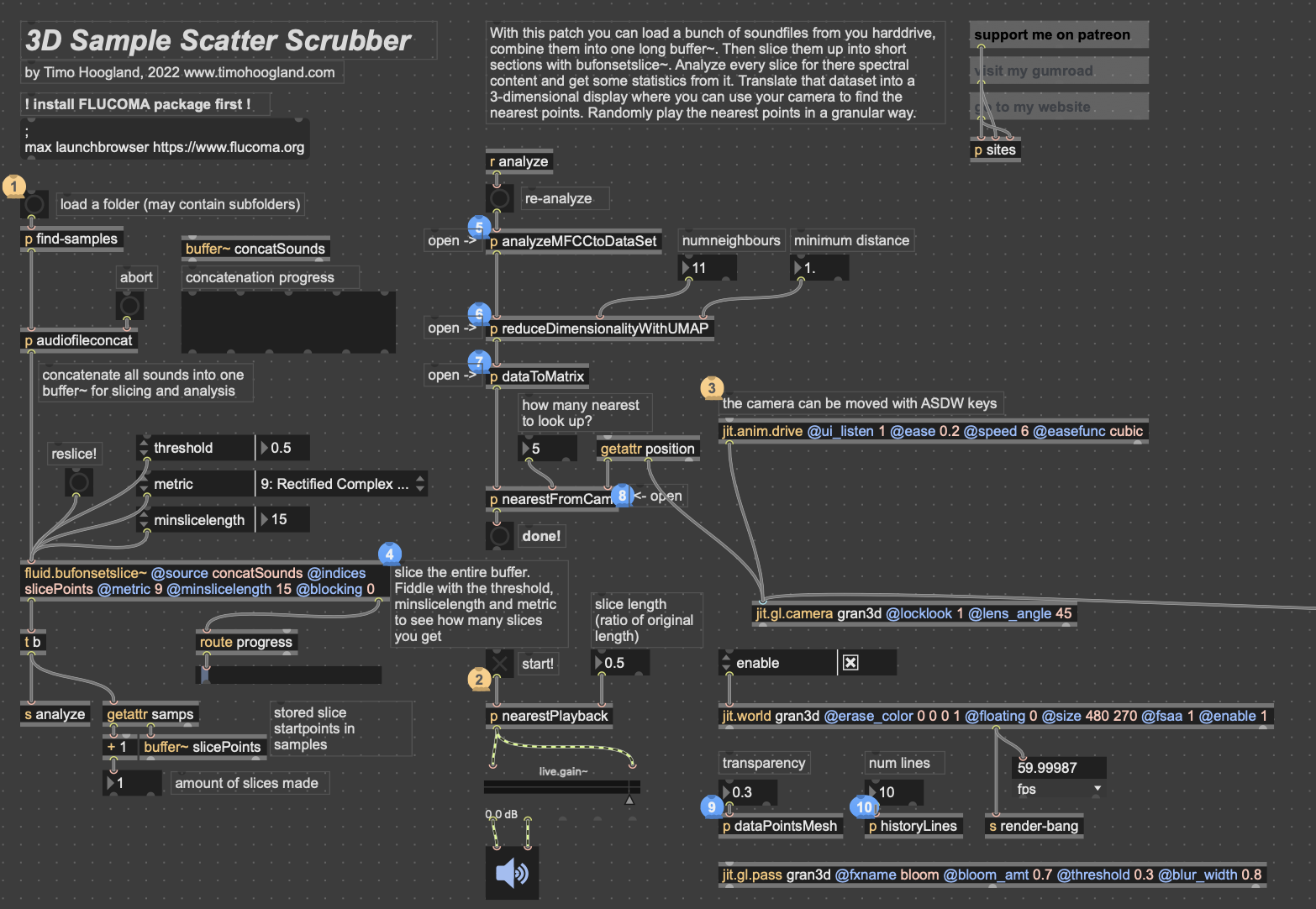
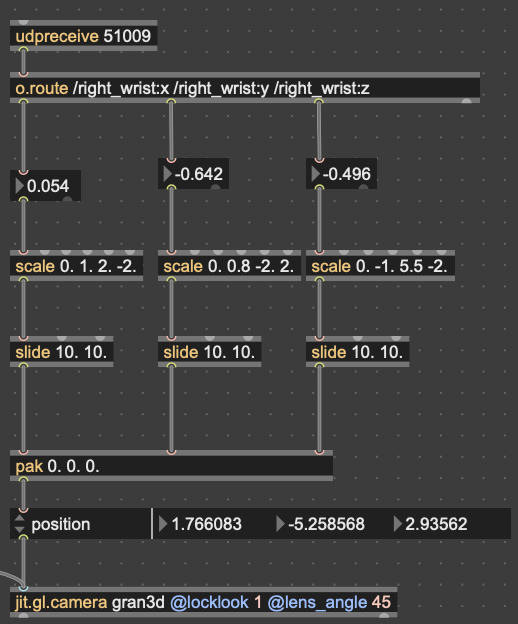
I won’t get too in-depth on how this works. But in short, it reduces the MFCC analysis data to 3 dimensions, as opposed to 2 in cycle 1, unpacks all that data into a matrix with 3 dimensions, and then that matrix data is used to generate an OpenGL environment with all the samples plotted in a 3D space. Then, depending on whatever point the camera is closest to in the Jitter window, the sample that correlates with that point is played back. This camera, however, was driven with WASDQZ, so I had to implement a new system of control that allowed this 3D corpus explorer to interface with the Google Mediapipe data I was receiving from TouchDesigner. I did this by scaling the data to the 3D space, smoothing it out some, and sending it a as list into the position attribute of the jit.gl.camera object.
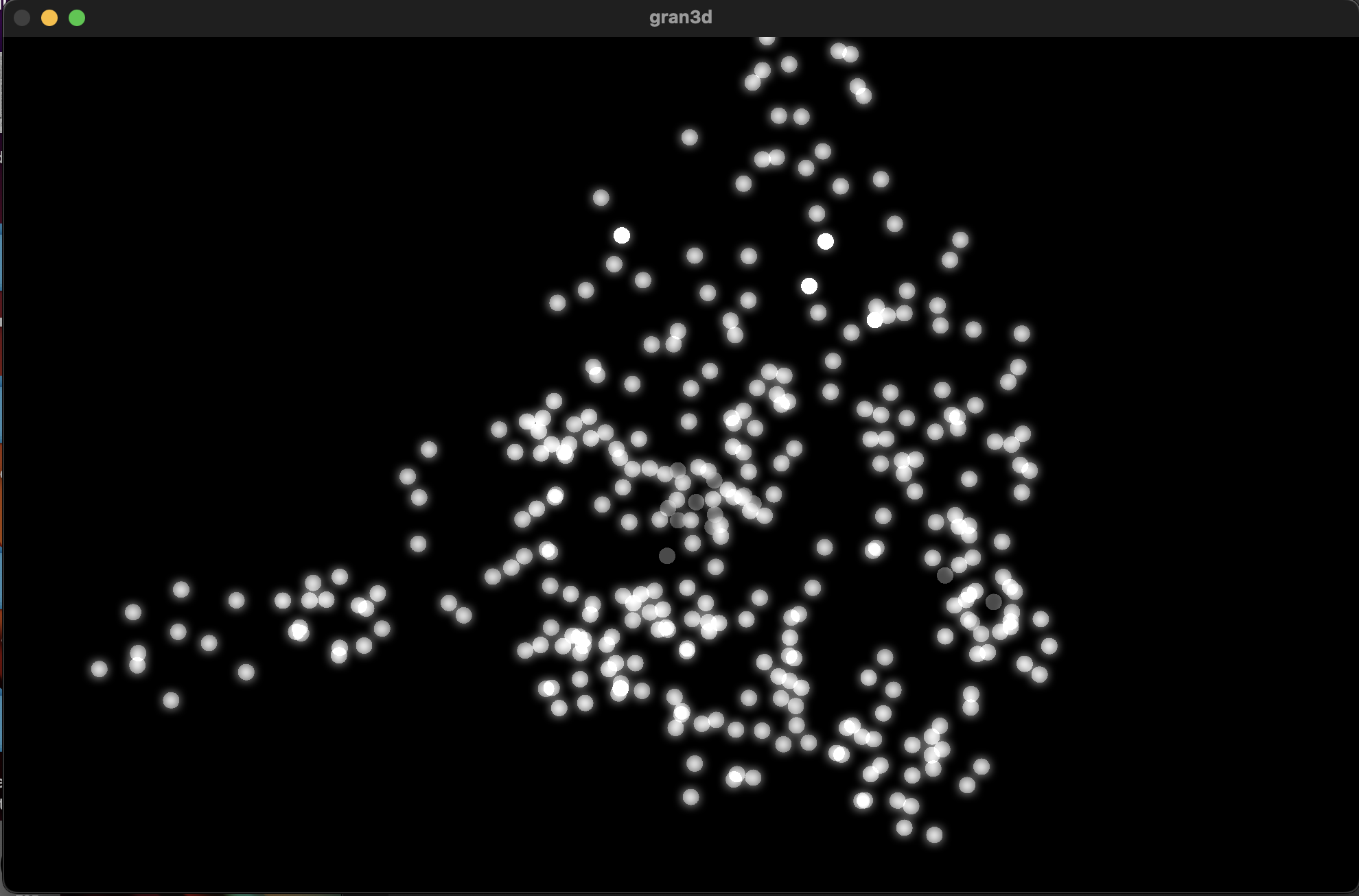
Zoom-out of the 3D corpus space, each dot represents a sample; dimmer dots are deeper on the Z-axis
Results
Unfortunately, I don’t think my vision for this cycle translated to reality as well as I’d hoped it would. One of my biggest issues was that I left on an option that locked the camera to (0,0,0) in the space. This caused a major decorrelation between the movements of anyone using it and the movement in the space. Everyone seemed to struggle with “navigating” the corpus space much more than in the 2D iteration. Once I got rid of this attribute during our discussion afterwards, people understood what was happening better right away. I think the camera was also just a little glitchy since MediaPipe isn’t the *best* at detecting depth, which caused it to jump around wildly. I think if I were to continue with this 3D idea, I would have to incorporate a depth sensor in some way so that all 3 dimensions are accurate.
In my first cycle, I also included the MediaPipe landmark camera feed in the projector image as a sort of monitor for movement. In this one, I made the decision not to include it, as I’d hoped the movement in a 3D space would translate more intuitively to the user. However, I was really surprised that most everyone actually missed its presence. I think the playfulness of the little dot stickman moving around on screen must have provided a nice counter to the cacophony of sound. For this reason, I made a point to include the landmark skeleton in the final version.
Here’s a short recording of Alex using the system. As you can see, it was not very precise. Additionally, something in the analysis created a lot of sample points with that shrill high pitch sound that frequently plays. I don’t know where this came from, but it taught me to always check the samples when I’m working with tools like FluCoMa.
While this cycle was a bit of a fail in meeting the goals I had, I think it actually gave me a chance to step back afterwards and examine what the goals I wanted to achieve with these cycles were. Out of all of them, the largest was to create a group experience. This setback caused me to really narrow in on that idea for the 3rd cycle, which I think worked out much better in the long run.
Cycle One: The Movement-Based Sound Explorer
Posted: April 13, 2026 Filed under: Uncategorized | Tags: cycle 1, FluCoMa, MaxMSP, MediaPipe, touchdesigner Leave a comment »As I began thinking about what I wanted to make my cycles about, I found myself gravitating towards a question I had previously been interested in when beginning to work on my senior project at the beginning of the year: How might technology allow for the creation of new modes of musical interface, where the relationship between audience and performer is almost entirely dissolved?
My primary resource was Max/MSP, as I know it best of all the computer music softwares, and I find it very useful for the development of new ways of making music.
Going into this cycle I knew one of the central resources that I could use to help me answer this question was Google MediaPipe–a real time motion capture software that uses webcam input as opposed to dedicated hardware/software that requires mo-cap suits. This allows for systems which anyone can easily interact with, even without knowing how the system works or what each mo-cap landmark is controlling. I handled this part of my patch in TouchDesigner, as the Max integration of MediaPipe has some difficulties I don’t have time to get into here.
My main goals for this cycle were to create an interface to interact with sound that was fun, interesting, but also left room for potential emergent behavior when left in the hands of different users.
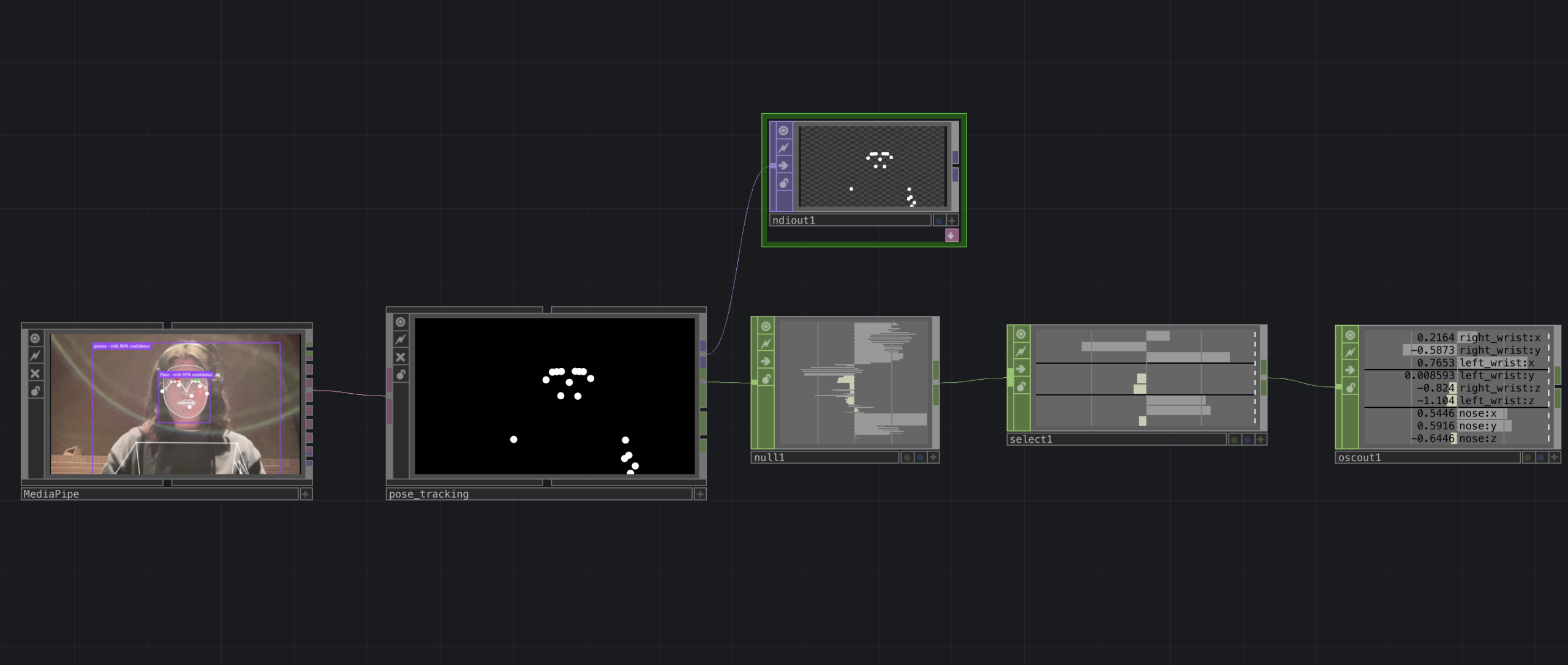
The second major piece of software I used was the Fluid Corpus Manipulation (FluCoMa) toolkit for Max/MSP (also available in SuperCollider and Pure Data). This toolkit uses machine learning software to analyze, decompose, manipulate, and playback a large collection (or corpus) of samples. I initially chose this piece of software as one of its modes of playback is a 2D plotter which can map two different aspects of the sample analysis on to an X and Y axis. I thought this would be a perfect interface for MediaPipe control as the base 2D plotter uses mouse input, which I found to be detrimental to using it as an “instrument.”
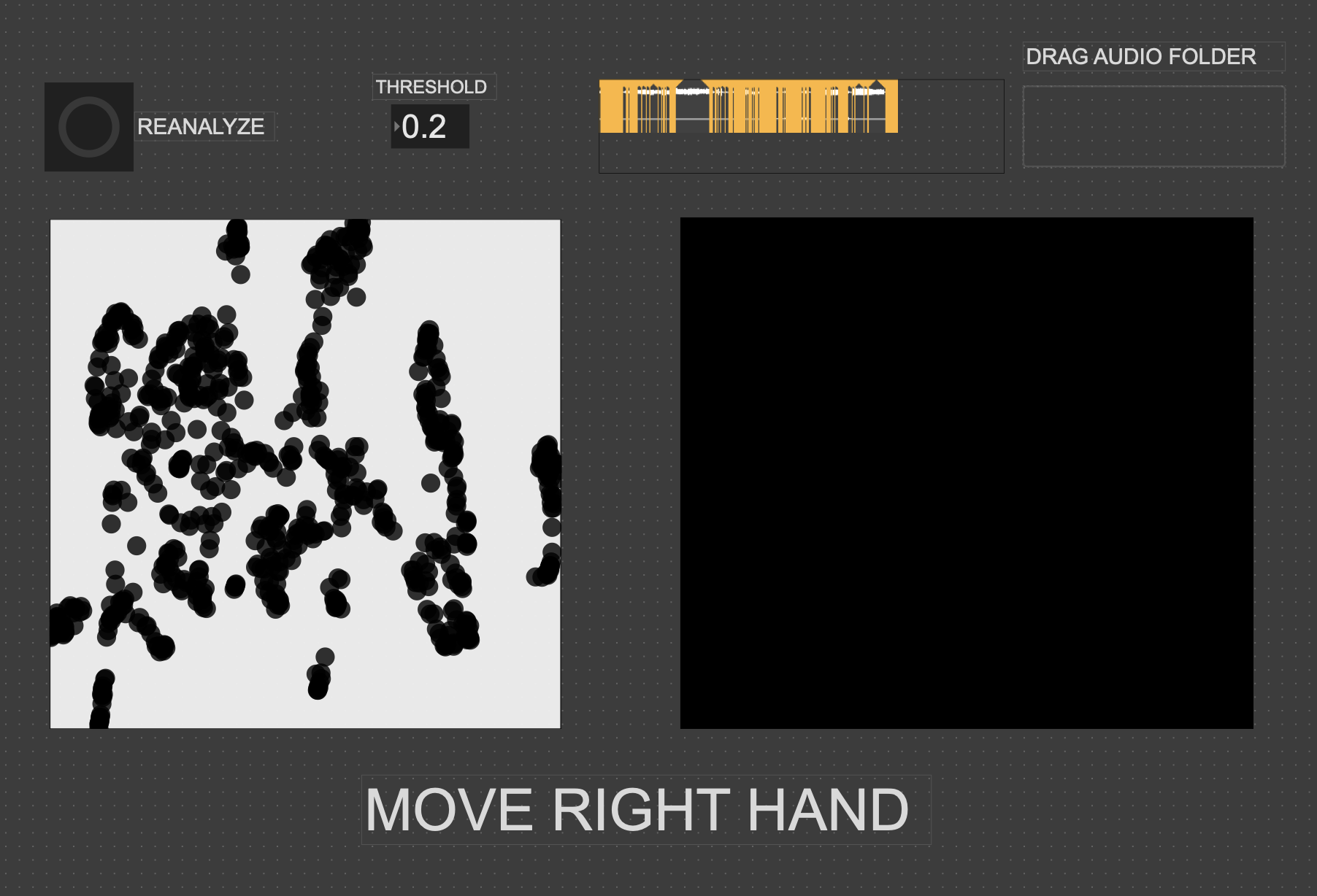
I had initially wanted to expand the idea of the 2D plotter to a 3D one, as I felt being able to interact with the patch in a 3D space would be much more natural. However, I found expanding the logic to work in 3 dimensions was a much more difficult task than I’d thought, so I decided to stick with the 2D plotter for this cycle.
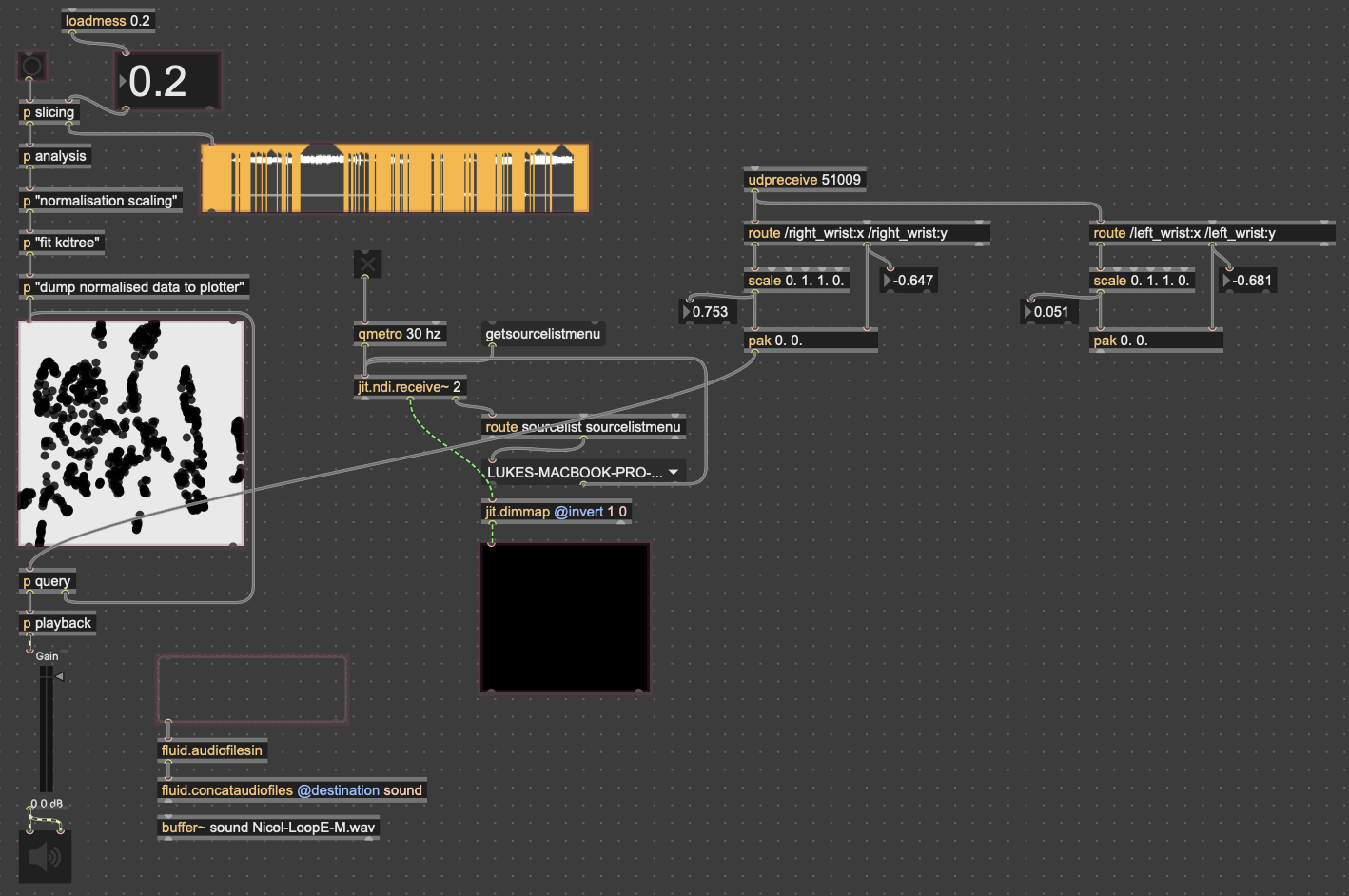
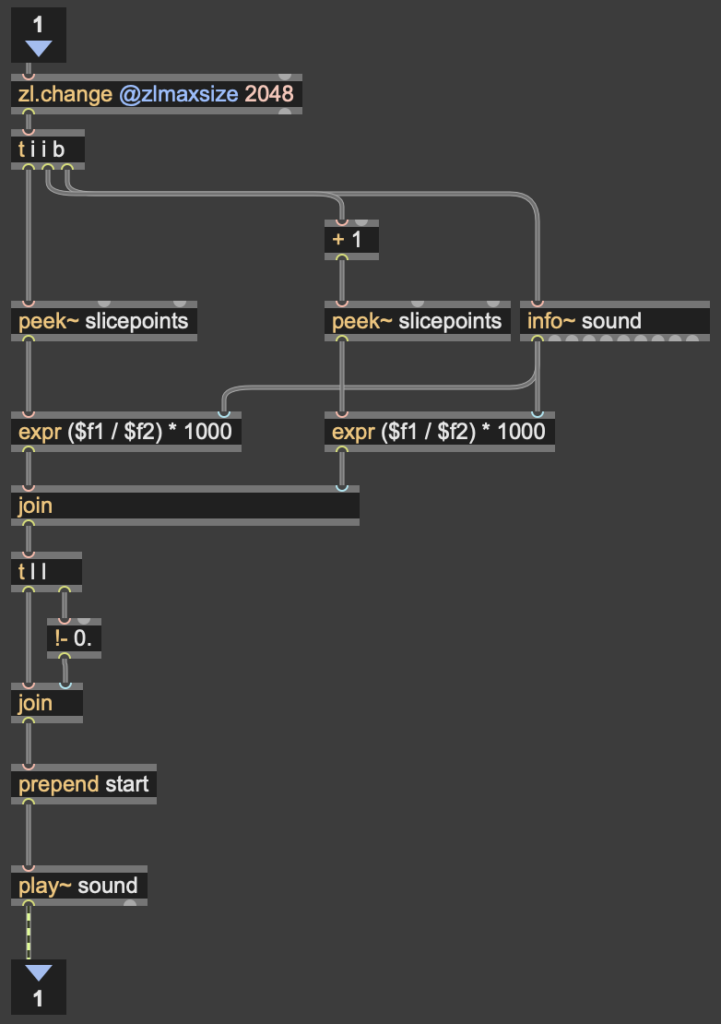
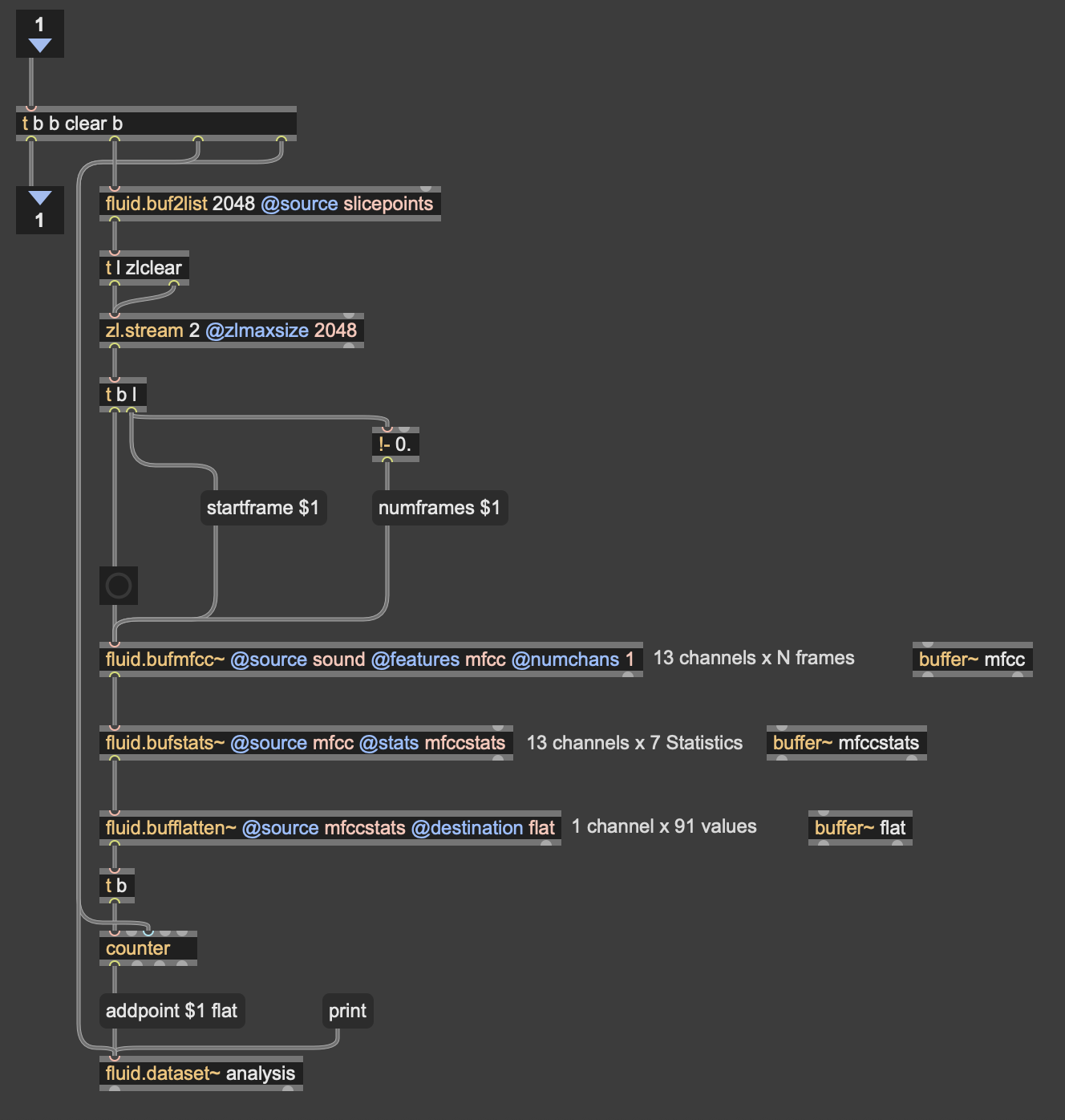
Results
I thought that I was mostly very successful with the goals I set out to accomplish. Everyone wanted to try out the patch, which I thought was a testament to the “fun” and “interest” aspects of it. The controls were also quickly picked up on, which was a goal of mine, as I’m interested in systems that audiences can interact with regardless if they’re conscious of the mechanics of that interaction or not. I was most interested to see how different people had their own unique ways of interacting with it as well. Chad, for example, was really trying to make something rhythmic and intelligible out of it, while others were going all over the place, or looking for specific sounds.
Some missed opportunities that I want to expand on in future cycles is the use of the Z dimension in controlling the playback of samples, as well as the use of multiple limbs to control playback. As you can see in the video, users were somewhat restricted in how they could control the patch by the Z direction not doing anything, as well as the fact that only the right hand could trigger sounds. By expanding this idea to 3D, instead of two, and allowing for the use of multiple limbs, I think it’ll give people more freedom in how they interact with the corpus of sounds.
This was the first real project I’ve done with FluCoMa, and thus I learned a ton about its mechanisms, particularly the storage of non-audio data in buffers. This is a concept used a lot more in environments like SuperCollider or Pure Data, as Max has some other objects for storing that kind of information. However because of the way the machine learning tools in FluCoMa work, it needs to store all of the information it may need in RAM. This was also the first project I’ve done sending OSC data between different apps on my computer, which had a bit of a learning curve as I discovered OSC data sends as strings, instead of floating point numbers. This didn’t create any real difficulty, as the conversion took no time, but it did make me aware of an important aspect of using OSC (particularly with Max, as certain objects process strings/floats/integers differently).